
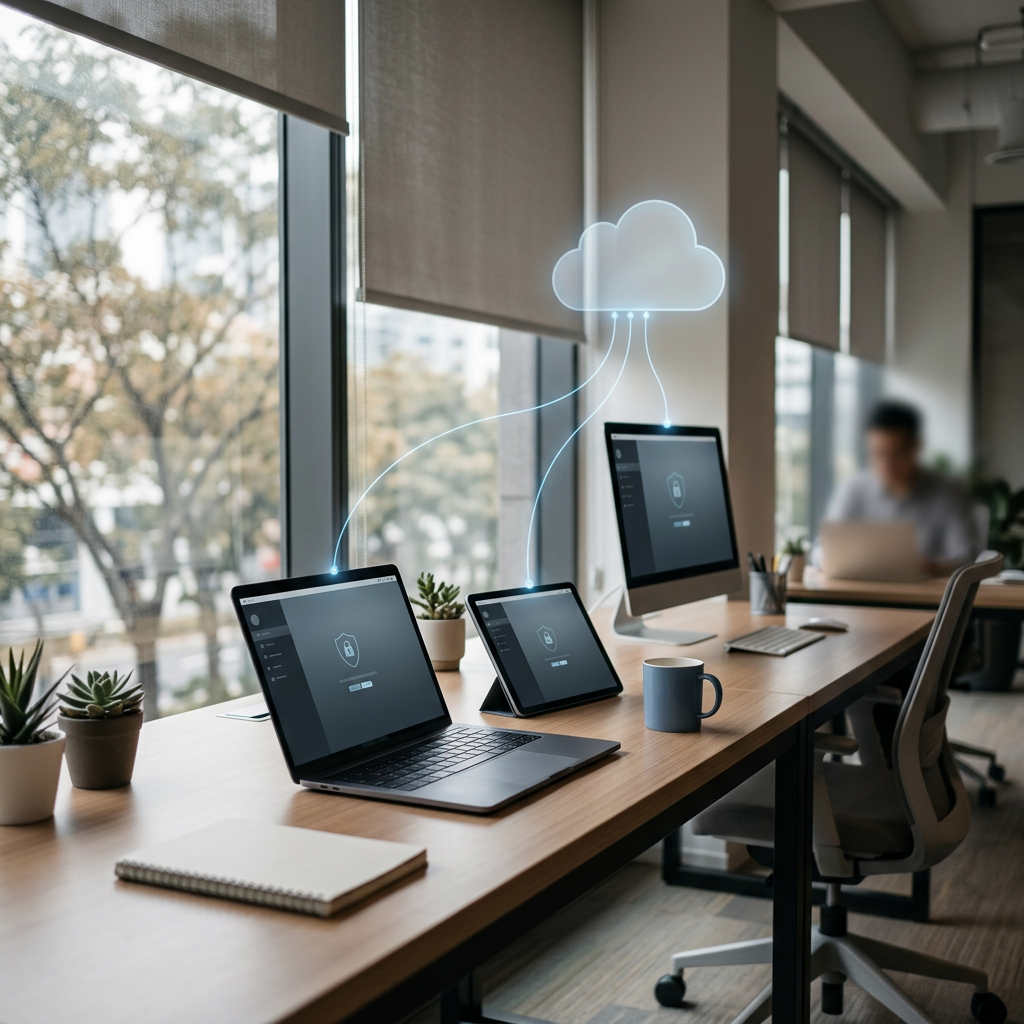
Monitor activity. Filter content. Manage screen time. Receive alerts. Review reports. Protect users. Manage devices remotely—with SentryPC’s cloud-based computer and mobile activity-management platform.
Technology has transformed the way people learn, work, communicate and spend their free time.
A child may use a computer for homework one moment and social media the next.
An employee may need access to the internet for work while also being exposed to distracting websites, applications and other activities.
A school may issue laptops to students and need a way to enforce appropriate-use policies.
A small business may need better visibility into how company-owned devices are being used.
A family may want reasonable screen-time boundaries without physically standing over a child’s shoulder all day.
And administrators may need a central place to review activity, configure restrictions and receive alerts.
These situations all have something in common:
Someone needs greater visibility and control over how authorized users interact with company-, school-, or family-owned devices.
That is the problem SentryPC is built to address.
SentryPC describes itself as a cloud-based activity monitoring, content filtering and time-management platform. Its current product combines activity logs, screenshots, application and website monitoring, time controls, content restrictions, alerts, reports, geofencing, security controls and centralized remote management. It supports Windows, macOS and Android, while its Chrome/Chromium support is focused on browser activity.
Unlike many modern SaaS applications that charge primarily by user or employee seat, SentryPC’s current pricing is structured around the device/license. Its Basic plan is currently $69.95 per year for one device, while additional licenses are listed at $29.95 each; larger Business plans reduce the effective per-device cost substantially.
That makes SentryPC an interesting option for parents, small businesses, schools and organizations that want broad activity-management capabilities without necessarily purchasing a complex enterprise monitoring suite.
But software with this level of visibility should never be treated casually.
SentryPC can capture highly sensitive information—including keystrokes, websites, application activity, files, screenshots and other device activity. Its own Terms of Use say the software was developed for devices owned by the purchaser and for legitimate monitoring by parents and employers, and warn that installing monitoring software on devices you do not own or lack authorization to monitor is illegal.
So this review will cover both sides:
What SentryPC can do—and how to use those capabilities responsibly.
Affiliate Disclosure
This article contains an affiliate referral link.
When you use our referral link and make a qualifying purchase, we may receive a commission at no additional cost to you.
Our purpose is to provide an educational and commercially useful review of SentryPC while identifying both its capabilities and important considerations.
Product features, compatibility, pricing, policies and promotional offers can change.
Explore SentryPC Through Our Referral Link
👉 Visit SentryPC through our affiliate offer
Check the live SentryPC page associated with the referral link for the current offer, pricing and terms before purchasing.
What Is SentryPC?
SentryPC is a computer and mobile activity monitoring, content filtering and time-management platform.
The company says it can be used in:
Homes
Businesses
Schools
and other environments where authorized device activity needs to be monitored, filtered or controlled.
Its current website presents three central ideas:
Monitor
Understand what is happening on authorized devices.
Filter
Restrict websites, applications, games and specified content.
Control
Manage usage schedules, time limits and device-access policies.
The result is a platform that combines functions that are often spread across multiple products.
For example, an organization might otherwise need separate solutions for:
Website filtering.
Application blocking.
Screen-time management.
Activity logging.
Screenshots.
Alerts.
Basic reporting.
SentryPC brings many of those controls into one cloud-managed environment.
SentryPC in One Sentence
A useful way to describe the platform is:
SentryPC helps authorized parents, schools and organizations see, restrict and manage activity on devices they own or are authorized to administer.
That last part matters.
The product is powerful enough to capture deeply personal information.
Therefore, responsible deployment is not optional.
It is part of using the product correctly.
What Can SentryPC Monitor?
The current SentryPC feature documentation describes a broad activity-monitoring system.
Depending on device and operating system, available monitoring can include:
Applications
Application usage
Websites
Website usage
Windows
Keystrokes
Screenshots
Files
Clipboard activity
Online searches
Locations
Notifications
Texts
Calls
Print jobs
Portable drives
Sessions
and other event information.
This makes SentryPC considerably more comprehensive than a simple website blocker.
It can provide both:
Visibility
What activity occurred?
and
Control
What activity should be allowed?
That combination is the foundation of the platform.
SentryPC Is More Than Employee Monitoring
When many people hear “monitoring software,” they immediately think about workplace productivity.
SentryPC has that use case.
But its official site also specifically presents solutions for:
Family
Business
School
That distinction is important because the appropriate monitoring philosophy differs between these environments.
At home
The goal may be child safety and reasonable screen-time management.
At school
The goal may be appropriate educational device use.
At work
The goal may be protecting company systems, enforcing acceptable-use policies and understanding authorized use of company-owned equipment.
One technology can support all three, but the rules governing each environment are not identical.
How SentryPC Works
SentryPC uses a cloud-based management model.
The software is installed on the authorized device.
The device collects the selected activity information.
That information becomes available through the user’s SentryPC cloud account.
The administrator can then review activity and change settings remotely. SentryPC says its online account can be accessed from any internet-connected device with a web browser.
In practical terms:
Authorized device
↓
SentryPC monitoring/filtering
↓
Cloud account
↓
Administrator dashboard
↓
Reports / alerts / settings
This architecture means you do not necessarily need to be sitting physically beside the monitored computer to manage its configuration.
Remote Cloud Management
One of SentryPC’s strongest practical features is remote management.
The company describes the platform as completely cloud-based, allowing administrators to log into their account and view logs or change settings remotely.
That can be useful for:
Parents working away from home.
Business owners managing remote teams.
IT administrators.
Schools managing distributed devices.
Organizations with multiple offices.
Administrators supervising devices outside the main office.
Instead of configuring every restriction locally, authorized administrators can work from the central account.
Real-Time Activity Viewing
SentryPC’s current feature documentation describes real-time activity viewing.
The dashboard can update as activities occur, allowing administrators to view items such as:
Events.
Files.
Keystrokes.
Screenshots.
Texts.
For businesses, this can provide visibility into activity as it happens.
For families, it can help parents investigate specific concerns.
For schools, it can help administrators understand how managed devices are being used.
But real-time access to information does not mean every administrator should watch continuously.
The better approach is usually policy-based monitoring:
Define what matters → monitor relevant signals → investigate legitimate concerns → avoid unnecessary surveillance.
Activity Monitoring
SentryPC’s activity-monitoring engine can record multiple categories of user activity.
Its documentation describes monitoring for:
Keystrokes.
Applications.
Application usage.
Website visits.
Website usage.
Window activity.
Online searches.
Chat activity.
Screenshots.
Events.
The software can also attach timestamps and organize the information through built-in viewers and reports.
This creates a detailed activity history.
For example, rather than knowing merely that a computer was used for four hours, an administrator may be able to determine which applications and websites were active during that period.
That can be useful when investigating:
Excessive non-work use.
Policy violations.
Unauthorized applications.
Security concerns.
Educational misuse.
Unusual activity.
Application Monitoring
SentryPC can log applications used on a monitored device.
Its documentation says the software can record which programs are launched and how long each application is actively used.
This is particularly useful for workplace and school environments where administrators need to understand application usage.
For example:
How much time is spent in productivity software?
Which applications are being launched?
Are unauthorized games installed or used?
Are employees spending excessive time in non-work applications?
Are students using school devices for non-educational software?
This becomes much more useful when interpreted alongside your organization’s actual policies.
Application Usage Statistics
Knowing that an application was launched is not the same as knowing how long it was actually used.
SentryPC separates application activity from application usage and reports active-use duration.
That distinction can help administrators avoid misleading conclusions.
A program can remain open for several hours without being actively used for several hours.
Good monitoring analysis should therefore consider:
Open time
versus
active-use time
rather than assuming those numbers are identical.
Website Monitoring
Website activity is another major part of SentryPC.
The software can record websites visited and their timestamps, while website reports can show usage over time.
This can help parents and organizations understand:
Which websites are visited.
How often they are visited.
How long users spend on websites.
Whether blocked websites are being attempted.
Whether particular categories are receiving unusually high usage.
Website monitoring and website filtering work together.
Monitoring tells you what happened.
Filtering allows you to establish rules for what should be allowed.
Website Filtering
SentryPC provides both category-style and user-defined website filtering.
The current support documentation explains that user-defined filtering can be configured per user, with options to:
Allow all except specified filters.
Block all except specified sites.
Block matching URLs.
Schedule rules for specific times.
Display a user alert when an activity is blocked.
This creates considerable flexibility.
For example, a parent could establish age-appropriate web restrictions.
A school could restrict access to entertainment websites during instructional hours.
A business could block non-business websites on managed devices during defined periods.
Keyword and Phrase Filtering
SentryPC also offers keyword and phrase filtering.
Its documentation explains that organizations can specify words or phrases that trigger a restriction when entered by the user.
SentryPC presents this feature as potentially useful for protecting confidential information or blocking undesirable language.
In a business environment, organizations could potentially use this to help prevent accidental transmission of particular sensitive information.
In a family or educational environment, it can also be used as part of broader content-control rules.
However, because typed information can be highly sensitive, administrators should use such monitoring only when necessary, proportionate and authorized.
Application and Game Filtering
SentryPC lets administrators block applications and games for individual users.
The program-filtering documentation explains that administrators can block applications permanently or restrict them during particular time periods.
This is especially useful for:
School computers.
Family computers.
Shared devices.
Company-owned workstations.
For example, a business may allow an application during working hours but prevent its use during restricted periods.
A family may establish different computer-use policies for different household users.
Time Management and Screen-Time Controls
Monitoring is only half the problem.
Sometimes the real issue is:
How long can this device be used?
SentryPC provides daily and weekly time-management controls.
Its current feature documentation says administrators can establish:
Specific access hours.
Daily maximum usage.
Weekly maximum usage.
Time schedules for individual users.
This makes SentryPC particularly interesting as a parental-control and school-management platform.
Daily Schedules
Suppose a child should be allowed to use a computer:
Monday–Friday:
4:00 PM–8:00 PM.
Saturday:
9:00 AM–9:00 PM.
Sunday:
1:00 PM–7:00 PM.
SentryPC’s scheduling functionality can enforce defined usage windows on supported systems.
The objective is to make device use predictable.
Maximum Daily Usage
SentryPC also provides maximum-use controls.
For example, an administrator could permit access during a broad window but impose a daily usage limit.
The company’s example describes allowing access during a long window while restricting the total amount of time the user can actually use the computer.
This is more nuanced than simply saying:
“The computer works between 8 AM and 8 PM.”
You can also say:
“You can use it during that period, but only for a defined maximum amount of time.”
Weekly Usage Limits
For long-term policies, SentryPC also supports weekly maximum-use settings.
This can be helpful when daily schedules are not sufficient.
Parents can create consistent weekly routines.
Schools can establish device-use limits.
Organizations can implement defined usage policies.
Again, the exact policy should be tailored to the legitimate purpose of the device.
Activity Alerts
Sometimes you don’t want to sit inside the dashboard all day.
You simply want to know when something important happens.
SentryPC supports activity alerts.
The current platform can generate alerts when particular monitored activity occurs, including blocked applications, websites, keywords and other configured events. Email notifications can also be enabled.
This is a much more practical model for many organizations.
Instead of constantly watching:
Wait for a signal.
Then:
Investigate the signal.
Email Alert Notifications
SentryPC can send email notifications when specified alert activity occurs.
The notification system allows administrators to configure:
Which alert types trigger emails.
Which users are covered.
How frequently notifications are sent.
The email-rate control can prevent administrators from receiving a flood of messages when multiple alerts happen in rapid succession.
That is a small but practical feature.
Custom Activity Alerts
One particularly flexible feature is custom activity alerts.
SentryPC allows administrators to define keywords or phrases that trigger a notification when found in newly added logs. The company describes these as non-blocking alerts: they can generate a notification without necessarily stopping the user’s activity.
This distinction matters.
Blocking filter
Stop the activity.
Monitoring alert
Tell the administrator about the activity.
Those are two very different controls.
Screenshots
SentryPC can capture screenshots from supported devices.
Its current feature documentation says administrators can specify the screenshot rate, while the platform offers screenshot-focused overviews and reports.
Screenshots can provide visual context.
A log may tell you:
A website was visited.
A screenshot may show:
What the user was actually seeing.
That’s potentially useful for investigations, but it is also highly privacy-sensitive.
Organizations should carefully define:
What screenshots are collected.
How often they are collected.
Who can access them.
How long they are retained.
Why they are necessary.
Screenshot Storage Limits
SentryPC’s current pricing makes screenshot storage explicit.
The Basic plan includes:
Up to 500 screenshots.
Business 50 includes:
500 screenshots.
Business 100:
1,000 screenshots.
Business 250:
1,000 screenshots.
Business 500:
2,000 screenshots.
Business 1,000:
2,000 screenshots.
Additional screenshot-storage options are available through the subscription system.
This is an important cost consideration for heavy screenshot users.
Files and File Activity
SentryPC can monitor file activity on supported systems.
Its reports identify file events such as:
Copied.
Created.
Deleted.
Printed.
Renamed.
For a business, this can be relevant to understanding file-handling behavior on company-owned equipment.
For a school, it can help administrators understand how school-managed devices are being used.
For families, it may help with broader device safety policies.
Again, authorization and proportionality are essential.
Clipboard Monitoring and Restrictions
Clipboard activity can also be recorded.
The activity logs include clipboard data, while SentryPC’s security controls can disable clipboard usage for supported users.
This creates two different potential uses:
Monitoring
Understand clipboard activity.
Restriction
Prevent copy-and-paste activity.
For organizations handling sensitive information, controlling copy/paste on managed devices can be one layer of a broader data-protection policy.
Portable Drive Controls
SentryPC’s Windows security options include controls for external drives such as USB storage devices.
This can be useful in organizations concerned about:
Unauthorized copying.
External storage.
Data movement.
Unapproved removable media.
A USB-related policy should, however, be part of a comprehensive security program rather than treated as a complete data-loss-prevention strategy.
Print Job Monitoring
SentryPC includes print-job activity within its reporting system.
This can be particularly relevant in business environments where administrators need to understand:
What documents are being printed.
When printing occurs.
How printing relates to authorized device use.
For sensitive organizations, printer monitoring can complement file-access and portable-media policies.
Keystroke Monitoring
SentryPC can record keystrokes on supported platforms.
Its current documentation says keystroke logs include typed characters, timestamps and the title of the associated window, with reporting capabilities.
This is one of the most powerful—and privacy-sensitive—features in the SentryPC product.
Because keystrokes can contain:
Passwords.
Private messages.
Financial information.
Personal conversations.
Medical information.
Authentication codes.
Confidential business information.
organizations should not treat keystroke monitoring as a casual default.
SentryPC’s own terms explicitly limit legitimate use to devices owned by the purchaser or otherwise authorized for monitoring.
For responsible organizations, the question should always be:
Do we truly need this level of monitoring for our legitimate purpose?
A Note About Passwords
Because keystrokes can capture sensitive input, organizations deploying SentryPC should consider the possibility that credentials and confidential information may appear in logs.
That is one reason administrators should:
Limit dashboard access.
Use strong passwords.
Enable two-factor authentication.
Restrict administrator permissions.
Establish retention rules.
Secure exported reports.
Inform affected users where required.
SentryPC currently provides two-factor authentication and account activity logging for the cloud account.
Two-Factor Authentication
Security does not end at the monitored device.
The administrator dashboard itself can contain sensitive information.
SentryPC therefore provides optional two-factor authentication using TOTP.
When enabled, the administrator must provide the account password plus a time-based authentication token.
This is an important control because:
A monitoring dashboard compromise could expose extremely sensitive information.
Turn on 2FA for administrative accounts whenever possible.
Account Activity Logging
SentryPC also records activities performed within the administrator account.
Its current feature documentation says account activity can include:
Login.
Logout.
Account changes.
Subscription changes.
Downloads.
Password changes.
Password resets.
2FA changes.
Device installations.
Device uninstalls.
and other account events.
This provides another layer of accountability.
You can monitor not only the endpoint—but also activity within the monitoring account.
Idle Timeout
SentryPC provides an administrator-account idle timeout.
If the administrator remains inactive for the configured amount of time, the account can automatically log out.
This is a relatively simple security control, but it can reduce the risk of someone gaining access to a dashboard left open on an unattended device.
Locations and Geolocation
SentryPC includes location-related monitoring on supported devices.
The platform can record IP address information and approximate location data, including city, country, postal code and latitude/longitude based on IP information in its logs.
SentryPC also provides geofencing functionality on supported devices.
Its current documentation explains that geofencing can define a geographic “home” area with a radius, triggering alerts when the device enters or exits the defined boundary. Device location services must be enabled for geofencing.
This can be useful for authorized devices in situations such as:
Company-owned mobile equipment.
School-issued devices.
Family-managed devices.
But location information is highly sensitive.
It should have a legitimate purpose and appropriate notice/authorization.
Geofencing
Geofencing answers a simple administrative question:
“Is this authorized device inside or outside the area where it is expected to be?”
For example, a family-managed device could have a home-area boundary.
An organization could establish geographic expectations for managed equipment.
SentryPC can trigger an alert when an enabled device crosses a configured geofence.
It should not be treated as an unrestricted personal-location tracking system.
Notifications on Mobile Devices
SentryPC’s mobile monitoring documentation includes notification activity.
Its activity logs can record notifications received by Android devices, including their content and timestamps.
This is another example of why Android monitoring should be deployed carefully.
Notifications can expose:
Private messages.
Banking alerts.
Two-factor codes.
Health information.
Personal correspondence.
Therefore, mobile monitoring requires particularly careful privacy and access controls.
Text and Call Activity
SentryPC’s current reporting framework includes texts and calls, with the exact capabilities depending on the device/operating system. Its current report list includes call and text activity, while the platform’s mobile documentation describes monitoring permissions related to calls and texts on supported Android installations.
This makes SentryPC substantially more than a web filter on supported mobile environments.
But again:
More visibility means more responsibility.
Device and Operating System Support
SentryPC’s current documentation lists support for:
Windows
Windows 11.
Windows 10.
Windows 8.
Windows 7.
Both 32-bit and 64-bit versions are listed.
macOS
SentryPC states support for Mac OS X 10.6+ and current macOS versions.
Android
Android 7+.
Chrome/Chromium
Chromebook and operating systems using Chromium are supported for browser activity according to SentryPC’s current documentation.
Feature availability is not identical across operating systems.
This is important.
Do not assume that a Windows feature automatically works on Android, Mac or Chrome.
Always check the current comparison table for the exact operating system and feature you need.
SentryPC and Mac
Mac users can access a broad range of monitoring and management features.
The company has maintained a dedicated Mac application, and its recent product history includes improvements such as print logging and sleep/hibernation behavior.
The exact availability of features varies by macOS version and product version.
SentryPC and Windows
Windows is where the product’s traditional feature set is particularly broad.
SentryPC’s documentation covers:
Application monitoring.
Website monitoring.
Keystrokes.
Screenshots.
Files.
Clipboard activity.
Print jobs.
Portable drives.
Security restrictions.
Time management.
User-specific policies.
For organizations with Windows-heavy environments, this can make SentryPC a versatile administration platform.
SentryPC and Android
Android support makes the platform more relevant to modern device environments.
The official installation documentation says the Android application can request permissions for activities including:
Calls.
Texts.
Usage.
Locations.
and other supported functions.
The Android experience should be evaluated separately from desktop functionality because mobile operating systems have different permission models and restrictions.
SentryPC and Chromebook
Chromebook/Chromium support is more limited.
SentryPC’s current FAQ describes Chromebook compatibility as browser activity only.
So organizations with Chromebook fleets should not assume that SentryPC provides the same full endpoint-control experience available on Windows.
User-Specific Controls
One useful characteristic of SentryPC is that settings can be assigned to individual users.
Its documentation explains that different user accounts on a computer can receive different monitoring, filtering and access-control settings.
Imagine a family computer used by:
Parent 1.
Parent 2.
Child 1.
Child 2.
Each account can potentially have different policies.
Similarly, a shared workstation can have different authorized-user configurations depending on the environment.
Monitoring Shared Computers
A license applies to a device, not to every person using that device.
SentryPC’s pricing FAQ explains that one license is required for each device being monitored and that the number of users on that device does not change the license requirement.
This is an important distinction from per-user monitoring platforms.
Example
One family computer:
4 authorized users.
You still need:
1 device license.
Three computers:
3 device licenses.
SentryPC for Parents
The family use case is one of the clearest SentryPC applications.
Parents may want to:
Manage screen time.
Block inappropriate websites.
Restrict applications.
Control games.
Understand internet activity.
Receive alerts.
Review reports.
Manage device use remotely.
SentryPC’s official family page specifically positions the product around protecting children, controlling usage and filtering content.
SentryPC as a Parental-Control Platform
Good parental controls should do more than spy.
They should help parents create healthier digital boundaries.
SentryPC provides several controls that can support that goal:
Content control
Limit inappropriate websites and applications.
Time control
Establish daily and weekly usage boundaries.
Activity visibility
Understand how devices are being used.
Alerts
Receive notifications when configured rules are triggered.
Remote management
Change settings without needing to be physically beside the device.
Monitoring for Online-Safety Concerns
SentryPC’s family page specifically mentions monitoring for signs of cyberbullying and online predators.
Parents should nevertheless understand that software cannot replace:
Communication.
Education.
Digital-safety training.
Healthy boundaries.
Trust.
Age-appropriate supervision.
A monitoring dashboard should support parenting—not replace parenting.
SentryPC for Businesses
SentryPC’s business solution is designed around:
Employee activity monitoring.
Content filtering.
Time management.
Productivity visibility.
Device control.
Remote management.
Businesses can potentially use it to understand activity on company-owned devices and identify situations where company policies are not being followed.
Employee Monitoring: Use It Responsibly
This deserves a dedicated section.
Employee monitoring is a legally and ethically sensitive area.
SentryPC’s Terms of Use specifically state that the software is designed for legitimate monitoring of devices owned by the purchaser and warn against installation on devices without ownership or authorization.
Therefore, businesses should:
Use company-owned or properly authorized devices.
Provide appropriate notice.
Define what is being monitored.
Explain the purpose.
Apply policies consistently.
Follow applicable labor and privacy laws.
Avoid unnecessary collection.
Protect collected data.
Use monitoring proportionately.
This is both a compliance issue and a trust issue.
Monitoring Is Not the Same as Productivity
This is an important management principle.
Suppose an employee spends 30 minutes on a website.
That number alone doesn’t tell you whether the activity was:
Personal.
Work-related research.
Customer research.
Training.
Required communication.
A productive outcome can sometimes involve activities that look “unproductive” if viewed without context.
SentryPC provides data.
Management still has to interpret it responsibly.
Employee Productivity Reports
SentryPC provides activity reports that summarize usage across multiple categories.
Its current report list includes:
Activities.
Alerts.
Applications.
Application usage.
Calls.
Clipboards.
Events.
Files.
Keystrokes.
Locations.
Notifications.
Online searches.
Portable drives.
Print jobs.
Screenshots.
Sessions.
Texts.
Websites.
Website usage.
Windows.
and other views.
These reports can help organizations move from anecdotal assumptions to measurable activity information.
But measurement does not automatically equal performance evaluation.
SentryPC for Small Businesses
Small organizations may not have a dedicated IT department.
The owner may also be:
CEO.
Operations manager.
IT administrator.
Security administrator.
HR manager.
Project manager.
For those businesses, a centralized cloud dashboard can be useful.
SentryPC provides:
One account.
Multiple licenses.
Remote settings.
Activity reports.
Alerts.
Content filtering.
Time controls.
That can be easier to manage than assembling a complex enterprise monitoring stack.
SentryPC for Schools
Education is another major SentryPC use case.
The company’s school solution specifically focuses on supervising students’ device and internet activity and enforcing appropriate-use policies for schoolwork and research.
A school-issued laptop can be used for:
Research.
Assignments.
Online classrooms.
Educational applications.
Collaboration.
But the same device may also provide access to:
Games.
Social media.
Streaming.
Unapproved applications.
Other distracting or inappropriate material.
Filtering and usage policies can help schools maintain a more focused environment.
SentryPC for Remote Learning
Remote learning creates another challenge:
The school may no longer control the physical environment in which the device is being used.
Cloud-based administration helps bridge that distance.
Administrators can access the management interface remotely and review activity without needing physical access to each managed computer.
That can be valuable when students use school equipment from home.
Content Filtering for Education
Schools can use website and application filters to enforce acceptable-use policies.
Potential examples include:
Blocking gaming sites during school sessions.
Restricting social media during instructional periods.
Allowing educational sites.
Blocking known inappropriate categories.
Restricting certain applications.
SentryPC’s filtering system supports scheduled and user-specific policies.
SentryPC Activity Reports
Reports are one of the most useful features for organizations that don’t want to inspect raw logs continuously.
SentryPC says reports can summarize activity by:
Account.
Device.
User.
For example, an Applications Usage report can provide information such as:
Access frequency.
Active time.
Idle time.
Total time.
Averages.
This transforms raw activity into a more understandable picture.
Visual Charts
SentryPC can also create visual charts from activity logs.
The current platform lets administrators choose:
Date/time range.
Devices/users.
Activity type.
Chart type.
Charts can be printed or downloaded in formats including:
CSV.
JPG.
PDF.
PNG.
This can be useful for:
Internal reporting.
Administrative reviews.
Policy analysis.
Security investigations.
Presentations.
Trend identification.
Downloading and Archiving Logs
SentryPC supports downloading and archiving activity logs.
The platform can export data, while its documentation includes archive functionality for retaining records.
This can be valuable when administrators need to:
Retain historical records.
Review older activity.
Create documentation.
Investigate a particular period.
Store selected reports.
But sensitive logs should be protected like any other confidential organizational data.
Searching and Sorting Activity
When an organization monitors many devices, raw chronological information can become difficult to navigate.
SentryPC provides search, sorting and filtering tools within its activity views.
That means administrators can move from:
“Show me everything.”
to:
“Show me what matters.”
SentryPC Activity Overview
SentryPC provides an overview layer for understanding activity over a selected period.
Current documentation includes:
Active/Idle overview.
Activities overview.
Locations overview.
Mouse/Keyboard overview.
Screenshots overview.
This helps administrators see patterns without manually inspecting every raw log.
Active vs. Idle
The Active/Idle overview visually shows when a device or user was active or idle during a selected period.
This can be useful for identifying:
Long idle periods.
Usage patterns.
Schedule compliance.
Unusual inactivity.
Overuse.
However, idle time should not automatically be treated as poor performance.
An employee could be:
On a phone call.
In a physical meeting.
Reading printed material.
Thinking through a problem.
Away from the computer for a legitimate reason.
Data requires context.
Mouse and Keyboard Activity
SentryPC’s Mouse/Keyboard overview can show mouse clicks and keypress activity over a selected period.
This can give administrators an aggregate picture of interaction.
But raw keypress counts should not be used as a simplistic productivity score.
Typing more does not necessarily mean working better.
The strongest use is pattern recognition rather than simplistic surveillance metrics.
Security Controls
SentryPC goes beyond monitoring.
Its security options can restrict particular Windows and Mac behaviors.
The current documentation includes controls for:
Clipboard use.
Clock/date changes.
Control panel/system settings.
Desktop changes.
External drives.
File copying.
Network use.
Run commands.
Start menu.
Task Manager.
Shutdown.
Taskbar.
and other functions, depending on operating system and account privileges.
These can provide another layer of device administration.
Why Security Restrictions Matter
Monitoring can tell you that something happened.
A restriction can prevent it.
For example:
Monitoring
“An external drive was used.”
Control
“External drives are not permitted for this user.”
Likewise:
Monitoring
“A particular application was launched.”
Control
“That application is blocked during specific hours.”
This combination of observation and prevention makes SentryPC more comprehensive than a logging-only system.
Remote Installation and Deployment
SentryPC supports centralized deployment for supported environments.
Its FAQ says remote installation can be performed through an installation module available in the online account and that SentryPC can also be deployed across a LAN/network.
For legitimate administrators managing company-, family- or school-owned equipment, centralized installation can reduce manual setup work.
Because installation establishes powerful monitoring permissions, organizations should deploy it only under appropriate authorization and documented policy.
A Note About “Stealth” Capabilities
SentryPC’s feature set includes stealth/invisible operation on some supported platforms, and its documentation describes options involving visible warnings or less-visible operation.
This capability requires special caution.
We do not recommend using covert monitoring on another person’s device or account without authorization.
SentryPC’s own Terms of Use explicitly state that using the software on devices you do not own or lack permission to monitor is illegal.
The appropriate use of monitoring software is:
Authorized device + legitimate purpose + appropriate notice/permission + proportionate monitoring + secure data handling.
That standard should guide every deployment.
Antivirus and Security Software Considerations
SentryPC’s support documentation notes that some antivirus products may flag its installer because of the monitoring/filtering nature of the software, and the company provides troubleshooting guidance for installation issues.
This is not the same thing as a finding that SentryPC is malware.
But it does highlight an important operational issue:
Monitoring software interacts deeply with operating-system functions.
Therefore, administrators should test deployments in their environment, verify software authenticity, and follow their organization’s endpoint-security procedures before broad deployment.
SentryPC Pricing in 2026
SentryPC’s current official purchase page lists annual plans.
Basic Plan
1 device
500 screenshots
$69.95/year
Each additional license:
$29.95/year.
This is the basic entry point for home users and smaller deployments.
SentryPC Business 50
The current Business 50 plan provides:
Up to 50 devices
500 screenshots
$1,495/year
The listed effective price is:
$29.90 per license.
SentryPC Business 100
Current pricing:
Up to 100 devices
1,000 screenshots
$2,495/year
Equivalent listed cost:
$24.95 per license.
SentryPC Business 250
Current pricing:
Up to 250 devices
1,000 screenshots
$4,995/year
Equivalent listed cost:
$19.98 per license.
SentryPC Business 500
Current pricing:
Up to 500 devices
2,000 screenshots
$7,495/year
Equivalent listed cost:
$14.99 per license.
SentryPC Business 1,000
For larger deployments:
Up to 1,000 devices
2,000 screenshots
$9,995/year
Equivalent listed cost:
Approximately $9.99 per device based on the published price.
SentryPC Pricing Overview
| Plan | Devices | Included Screenshots | Current Annual Price |
|---|---|---|---|
| Basic | 1 | 500 | $69.95 |
| Business 50 | 50 | 500 | $1,495 |
| Business 100 | 100 | 1,000 | $2,495 |
| Business 250 | 250 | 1,000 | $4,995 |
| Business 500 | 500 | 2,000 | $7,495 |
| Business 1,000 | 1,000 | 2,000 | $9,995 |
Current official pricing.
Annual Subscription Model
SentryPC currently operates as an annual subscription.
The company says customers are notified before the subscription ends and that automatic renewal can be turned off through the account.
This is important when budgeting.
A company should consider:
Number of devices.
Screenshot requirements.
Expected annual usage.
Renewal timing.
Additional licenses.
Potential storage requirements.
What Happens When You Cancel?
SentryPC says cancellation turns off automatic renewal but does not immediately stop the active subscription; the account and software continue functioning until the current subscription period ends.
Its subscription documentation also explains that once a subscription ends and is not renewed, the account is terminated.
This is another reason to plan ahead before cancellation.
Export any records you legitimately need to retain.
Review organizational retention requirements.
Then allow the subscription to end according to your plan.
Is SentryPC a One-Time Purchase?
No.
The current official purchase model is annual subscription pricing.
That makes comparison shopping important.
A lower upfront price does not necessarily mean lower long-term cost.
Evaluate:
Annual cost × number of devices × years of use.
Does SentryPC Charge Per User?
No.
The current FAQ says one license is required per device, regardless of the number of users who use that device.
That’s potentially attractive for shared computers.
What Do You Get With Every Purchase?
SentryPC currently lists several benefits with every purchase:
Instant download
Online support
Free updates for the lifetime of the subscription.
That final item can be particularly useful because operating systems change.
Maintaining compatibility is important for monitoring software.
Customer Support
SentryPC provides online support through a support-ticket system and maintains extensive documentation.
Its current support center includes dedicated documentation for:
Installation.
Licenses.
Notifications.
Overviews.
Activity alerts.
Activity logs.
Activity viewers.
Content filtering.
Geofencing.
Security options.
Time management.
Reports.
Archives.
Subscriptions.
The breadth of documentation is useful for administrators who need detailed configuration help.
SentryPC Knowledge Base
A well-documented monitoring platform matters because the number of configuration options can become substantial.
SentryPC’s support center provides detailed explanations of individual features rather than requiring customers to figure everything out from the main dashboard.
This can reduce setup friction.
Does SentryPC Have a Free Trial?
The current official purchase page does not advertise a conventional free trial; it presents annual paid plans instead.
This is noteworthy because some older or third-party software listings may contain historical pricing information.
For example, current third-party reviews still contain references to the absence of a trial.
Therefore, prospective buyers should rely on the live official purchase page for the current purchasing model.
SentryPC Refund Policy
SentryPC’s current Terms of Use state that sales are final and that refunds are not guaranteed, although the company may issue a refund at its discretion; a refund, when issued, may be prorated according to subscription usage.
This is an important purchasing consideration.
Because the current official pricing model does not present a standard free trial, prospective buyers should evaluate:
Compatibility.
Required features.
Device support.
Screenshot requirements.
Deployment environment.
before purchasing.
Independent SentryPC Reviews
Independent review evidence is relatively limited.
G2 currently shows SentryPC at 2.5/5 based on only two reviews, illustrating that there is too little review volume there to make the rating statistically meaningful.
Capterra currently lists SentryPC at 2.3/5 based on four reviews, with several critical comments concerning consistency and customer support.
Software Advice currently shows a 2.3 overall rating, again based on a small review sample, with criticisms including reliability concerns from one reviewer.
Trustpilot currently shows a 3.6/5 TrustScore based on only two reviews, including one positive and one strongly negative review. Again, this is far too small a sample to characterize the overall customer base.
The lesson is important:
Independent review volume is currently too small and inconsistent to provide a reliable single overall customer-satisfaction score.
Potential customers should therefore test the actual configuration they need and pay attention to the current official documentation and support policies.
Why Limited Review Volume Matters
Suppose a product has:
2 reviews.
Then:
A single unhappy customer can dramatically change the average.
The opposite is also true.
Therefore, SentryPC’s third-party ratings should be considered signals, not definitive measurements.
For a monitoring platform, technical fit is more informative than a generic star rating.
What Some Positive Feedback Emphasizes
SentryPC’s own website contains testimonials from:
Parents.
Small-business owners.
School administrators.
These testimonials commonly highlight ease of use, monitoring capability and the web-based management interface.
The company also describes the interface as designed for ease of use and says support resources are available for setup and troubleshooting.
What Critical Feedback Suggests You Should Test
Independent criticisms suggest buyers should pay particular attention to:
Consistency.
Operating-system compatibility.
Installation.
Antivirus interactions.
Customer support.
Feature reliability in the buyer’s specific environment.
Capterra and Software Advice both contain historical/current critical comments in these areas.
This reinforces a sensible strategy:
Test before deploying broadly.
Because SentryPC does not currently present a standard free trial on its official purchase page, businesses should evaluate the available documentation and perhaps use a limited deployment before rolling the software out to a large fleet.
SentryPC Compared With Simple Parental Controls
A basic parental-control application might provide:
Screen-time limits.
Website blocking.
Application restrictions.
SentryPC goes further by offering extensive activity logging and reporting.
This can be useful when parents need more visibility into how a device is being used.
But more monitoring is not automatically better parenting.
The right amount of supervision depends on:
Age.
Maturity.
Risk.
Family expectations.
Device ownership.
The nature of the concern.
SentryPC Compared With Basic Employee Time Trackers
Traditional employee time trackers may focus on:
Hours.
Attendance.
Projects.
Tasks.
SentryPC focuses much more deeply on device activity.
Its data can include:
Applications.
Websites.
Windows.
Files.
Screenshots.
Keystrokes.
Print jobs.
Portable drives.
and other activity.
That makes SentryPC suitable for a different category of problem.
It is not simply:
“How many hours did the employee work?”
It is closer to:
“What happened on the managed device during those hours?”
Again, organizations must ensure the level of monitoring is lawful, transparent and proportionate.
SentryPC as a Content-Control Platform
A particularly important distinction is that SentryPC is not merely about observing people.
It can also enforce restrictions.
You can:
Block a website.
Block a category.
Block a program.
Block a game.
Block a keyword or phrase.
Restrict external drives.
Restrict system functionality.
Limit usage hours.
Create alerts.
This prevention-oriented capability makes it more useful for controlled environments.
SentryPC for Digital Well-Being
Although much of the marketing language is about monitoring and control, the same functionality can support a healthier digital routine.
Consider screen time.
A person may not realize how much time they spend on:
Social media.
Games.
Streaming.
Browsing.
Messaging.
A schedule or daily usage cap can provide structure.
For families, it can support established routines.
For schools, it can encourage educational use.
For organizations, it can reinforce acceptable-use policies on company-owned devices.
The Importance of Clear Policies
The technology works best when the policy comes first.
Before installing SentryPC, decide:
What problem are we solving?
Which devices are covered?
Which users are covered?
What data do we actually need?
How long will it be retained?
Who can access it?
What happens when a policy is violated?
How will users be informed?
This prevents monitoring from becoming arbitrary.
A Responsible Business Deployment
A mature implementation might look like this:
Step 1 — Define the purpose
Example:
Protect company-owned devices and reduce unauthorized software use.
Step 2 — Define the scope
Only company-owned devices.
Step 3 — Define categories
Applications.
Websites.
External storage.
Security events.
Step 4 — Establish notification policy
Inform employees appropriately.
Step 5 — Configure only necessary monitoring
Avoid collecting information that has no legitimate purpose.
Step 6 — Secure administrator accounts
Enable 2FA.
Step 7 — Review data periodically
Don’t collect indefinitely without purpose.
Step 8 — Evaluate outcomes
Determine whether monitoring is actually improving the intended outcome.
This approach is considerably stronger than simply turning on every feature.
A Responsible Family Deployment
For a family, consider:
Establish expectations first.
Explain when the computer can be used.
Create age-appropriate schedules.
Set reasonable daily and weekly limits.
Configure filters.
Block content that is inappropriate for the child’s age and needs.
Use alerts for meaningful concerns.
Avoid obsessively watching every action.
Review activity together where appropriate.
Use monitoring as an educational tool.
Revisit restrictions as the child matures.
Digital supervision should evolve.
A Responsible School Deployment
Schools should consider:
Acceptable-use policies.
Student privacy.
Parent/guardian communications.
Staff access controls.
Data retention.
Purpose limitation.
Educational necessity.
Monitoring scope.
Device ownership.
Local legal obligations.
SentryPC provides technical controls, but governance remains the school’s responsibility.
A Responsible Security Deployment
For a business using SentryPC partly for security, combine it with:
Endpoint protection.
Strong passwords.
Multi-factor authentication.
Access controls.
Network security.
Backups.
Patch management.
Security awareness.
Data-loss prevention where required.
SentryPC should be viewed as one component of a security strategy—not a complete cybersecurity platform.
SentryPC and Data Security
Because the platform can collect highly sensitive activity, account security deserves special attention.
SentryPC offers:
Two-factor authentication.
Idle timeout.
Account activity logs.
Encrypted activity logs as an option.
Cloud account controls.
Those controls are useful.
But security also depends on how the customer operates the account.
Protect Your SentryPC Account
Use:
A unique password.
Two-factor authentication.
A dedicated administrator account.
Limited access.
Secure administrator devices.
Appropriate retention policies.
Do not share administrator credentials casually.
And never export sensitive monitoring logs to unsecured personal devices.
SentryPC Privacy Policy
SentryPC’s published Privacy Policy states that it collects information provided through the website and explains how personal information is used and disclosed. The currently published policy was last updated February 2, 2024.
It also states that SentryPC does not collect information from children under 13 through the website and services, and says its services are directed to people at least 13 years old.
That website privacy statement should not be confused with the separate issue of what customer-configured monitoring software collects from managed devices.
For an organization, both areas should be reviewed:
SentryPC’s own website/service privacy practices
and
your organization’s device-monitoring practices.
SentryPC Terms and Ownership
The Terms of Use provide one of the most important guardrails for this product.
SentryPC says its software was developed for devices owned by the purchaser and for legitimate monitoring by parents and employers. It explicitly warns that installing monitoring software on PCs you do not own or lack authorization to monitor is illegal.
This is not merely fine print.
It should be treated as a fundamental purchasing criterion.
Use SentryPC where you have legitimate authority.
Do not use it for unauthorized surveillance.
Why Transparency Matters
Even where a particular law does not expressly require notice in every circumstance, transparency can improve trust.
Employees should understand:
That company-owned devices may be monitored.
Why monitoring is occurring.
Which categories of activity are covered.
Who can access information.
How data is handled.
Parents should establish age-appropriate expectations.
Schools should establish student-device policies.
Good technology governance is about more than technical capability.
SentryPC for Hybrid Work
Hybrid employees may work:
At home.
In the office.
At client locations.
While traveling.
A company-owned laptop can move between all these environments.
Cloud-based management allows administrators to manage the device without requiring the employee to bring it into headquarters.
This is one of the practical strengths of cloud administration.
SentryPC for Distributed Organizations
Consider a company with:
One headquarters.
Three branch offices.
Ten remote workers.
A centralized SentryPC account can provide a common administrative interface.
Instead of maintaining separate local monitoring systems, the organization can manage licenses and settings centrally. SentryPC’s pricing also supports volume licensing up to 1,000 devices.
SentryPC for Multi-Computer Families
The same principle works at home.
Suppose a household has:
Parent laptop.
Child laptop.
Family desktop.
Second child’s tablet.
Instead of managing each device independently, supported devices can be associated with a central account.
The exact features available depend on operating system.
SentryPC for IT Administrators
IT teams can use the platform for:
Device visibility.
Policy enforcement.
Application restrictions.
Website restrictions.
Security controls.
Activity review.
Remote configuration.
Reporting.
Volume deployment.
This can reduce the number of separate tools needed for certain device-management tasks.
SentryPC for Compliance-Oriented Environments
SentryPC can provide records of:
File activity.
Printing.
Applications.
Websites.
Screenshots.
Events.
Portable drives.
and other activities.
Those records can support internal investigations and policy enforcement.
However, SentryPC should not be represented as a universal compliance solution.
Compliance requirements depend on:
Industry.
Jurisdiction.
Data type.
Organization size.
Contractual obligations.
Employee rights.
Regulatory requirements.
SentryPC for Small Agencies
A small agency might have 10–20 company computers.
It may not need a complex enterprise monitoring suite.
The business might want:
Basic activity visibility.
Website filtering.
Application control.
Screenshots.
Reports.
Remote management.
SentryPC’s license-based pricing can make this type of deployment relatively straightforward to budget.
SentryPC for Managed Service Providers
Organizations managing devices for customers should pay particular attention to ownership and authorization.
SentryPC’s terms are explicit about legitimate use and device ownership.
Any managed-service deployment should therefore have:
Written authorization.
Defined monitoring scope.
Customer agreements.
Data protection procedures.
Access controls.
Retention policies.
Without those foundations, a technically possible deployment may still be inappropriate.
How to Get Started With SentryPC
The official purchase page describes a straightforward sequence:
Download
Obtain the software after purchase.
Install
Follow the installation instructions for the authorized device.
Sign In
Connect the installation to your SentryPC account.
Configure
Select the desired monitoring, filtering and scheduling settings.
Review
Use the dashboard, activity viewers and reports.
The company’s documentation provides detailed installation guides for supported platforms.
Step-by-Step: Designing a SentryPC Policy
Rather than turning everything on immediately, start with a specific objective.
Objective
Reduce distracting websites on a school computer.
Configure
Website filters.
Application filters.
Time schedule.
Alerts.
Don’t necessarily configure
Every possible keystroke.
Every screenshot.
Every notification.
Every available activity.
The principle is:
Collect what you need, not everything you can.
Step-by-Step: A Business Productivity Configuration
Imagine a 25-person company.
A sensible starting point could be:
Company-owned devices only.
Application monitoring.
Website monitoring.
Usage reports.
Selected website filters.
Unauthorized application restrictions.
USB policy where necessary.
Security controls.
Limited alerts.
Visible employee policy.
Periodic management review.
That provides operational visibility without automatically making every possible data category part of daily monitoring.
SentryPC for Digital Boundaries Rather Than Constant Surveillance
This may be the healthiest way to think about the product.
The core value isn’t:
“Watch everyone all the time.”
The core value is:
“Create defined digital boundaries on authorized devices and obtain enough visibility to verify whether those boundaries are working.”
That is particularly appropriate for:
Parents.
Schools.
Organizations.
SentryPC Advantages
Broad Monitoring
SentryPC can capture a wide range of activity categories across supported systems.
Filtering
Website, application, game and keyword filtering can be configured.
Time Management
Daily and weekly usage controls provide structured access management.
Cloud Access
Administrators can manage devices remotely through the cloud.
Reporting
Reports and charts help turn activity logs into understandable information.
Alerts
Email alerts can notify administrators when relevant conditions occur.
Device-Level Licensing
One license covers a device regardless of the number of users on it.
Volume Pricing
Large deployments receive progressively lower per-device pricing.
Two-Factor Authentication
The cloud account can be protected with TOTP-based 2FA.
Regular Updates
SentryPC says customers receive free updates during the lifetime of their subscription.
SentryPC Limitations
A responsible review must also discuss where the product may not fit.
It Is Highly Invasive by Capability
Keystrokes, screenshots, texts, files and notifications can contain extremely sensitive information.
It Requires Responsible Governance
The legal and ethical burden rests heavily on the customer.
Platform Support Varies
Features available on Windows are not necessarily identical on Android, Mac or Chrome.
Chromebook Support Is Browser-Focused
SentryPC’s current FAQ describes Chromebook support as browser activity only.
Linux Is Not Listed Among Current Supported Platforms
The current official system requirements list Android, Chromebook/Chromium, Mac and Windows.
Current Pricing Is Annual
The official purchase page currently presents yearly plans.
Standard Refunds Are Not Guaranteed
SentryPC’s Terms of Use state that sales are final and refunds are discretionary.
Independent Review Data Is Limited
Third-party review samples are currently very small and mixed.
Who Should Consider SentryPC?
SentryPC is particularly relevant to:
Parents
who want structured controls for family-owned computers and supported mobile devices.
Small businesses
that need visibility and restrictions on company-owned devices.
Schools
that administer computers or laptops for students.
IT administrators
who need a centralized control dashboard.
Remote organizations
that manage distributed company-owned devices.
Organizations with shared computers
where multiple users require different policies.
Security-conscious businesses
that want additional monitoring and device restrictions.
Who Should Look Elsewhere?
SentryPC may not be the best fit when:
You need Linux support.
You require sophisticated enterprise endpoint detection and response.
You want a full MDM platform.
You need dedicated project/task time tracking.
You need an HR performance-management system.
You want a platform focused exclusively on parental controls.
You need a very large enterprise identity-and-access ecosystem.
You cannot legally or ethically monitor the devices involved.
In those cases, another category of product may be more appropriate.
SentryPC vs. Traditional MDM
Mobile Device Management platforms usually focus on:
Device enrollment.
Application deployment.
Security policies.
Device configuration.
Remote wipe.
Identity integration.
SentryPC focuses more heavily on:
Activity monitoring.
Content filtering.
Usage control.
Detailed activity logs.
Screenshots.
Application and website monitoring.
The two categories overlap but are not interchangeable.
SentryPC vs. Antivirus
Antivirus software asks:
“Is malicious software present?”
SentryPC asks:
“What is happening on this authorized device?”
Antivirus:
Threat detection.
Malware prevention.
Endpoint protection.
SentryPC:
User activity.
Application usage.
Website behavior.
Filtering.
Time management.
Screenshots.
Reports.
They can serve completely different purposes.
SentryPC vs. Basic Web Filtering
A web filter primarily answers:
“Which websites can this user access?”
SentryPC can answer that question and many others:
What applications are running?
How long are they used?
Which websites are visited?
When did activity happen?
What files changed?
What screenshots were captured?
Which restrictions were triggered?
What usage patterns emerged?
That broader scope is its major distinguishing characteristic.
A Practical Example: Family Computer
Imagine a family computer shared by four people.
Parent accounts
Full access.
Child account
Education-focused websites.
Limited gaming.
Defined daily usage.
No access to selected categories.
Alerts for configured policy violations.
Activity reporting.
This is where SentryPC’s per-user controls can become particularly useful.
A Practical Example: Small Business
Imagine a small business with 20 Windows laptops.
The owner wants:
Website filtering.
Application control.
Activity reports.
Security restrictions.
USB restrictions.
Screenshots in selected circumstances.
Remote administration.
SentryPC can provide these functions through a centralized cloud account.
A Practical Example: School
A school has 100 laptops.
Administrators want:
Educational browsing.
Restricted entertainment sites.
Application restrictions.
Device usage schedules.
Activity reporting.
Remote administration.
SentryPC’s school solution is specifically positioned around this kind of managed-device environment.
A Practical Example: Remote Workforce
A small company has:
15 office laptops.
10 remote employee laptops.
Company-owned devices.
Instead of requiring every device to be physically inspected, the administrator can manage monitoring and restrictions through the cloud.
The key condition remains:
The organization owns or is properly authorized to administer the devices.
SentryPC as a Preventive Tool
The strongest implementation does not wait until there is a problem.
It establishes rules beforehand.
Website rule
Block prohibited categories.
Application rule
Prevent unauthorized programs.
Time rule
Restrict usage outside approved hours.
Security rule
Restrict external drives.
Alert rule
Notify an administrator when important events occur.
This creates a proactive environment.
SentryPC as an Investigative Tool
There are also situations in which the purpose is retrospective.
For example:
A company discovers an unexpected file transfer.
A school receives a report of inappropriate device use.
A parent becomes concerned about online behavior.
The administrator can examine relevant logs, reports, screenshots or other available data.
The key is legitimate investigation.
Not curiosity.
Don’t Monitor Just Because You Can
This principle deserves repetition.
Technology can collect enormous quantities of information.
That doesn’t mean an organization should collect all of it.
Excessive monitoring can:
Create privacy risks.
Reduce trust.
Increase data-security exposure.
Generate unnecessary administrative work.
Create legal complications.
Collect information that is irrelevant to the stated purpose.
A better strategy is:
Purpose → Scope → Minimum Necessary Data → Protection → Review → Deletion.
SentryPC Data Retention Strategy
Businesses using SentryPC should create their own retention policy.
For example:
Routine activity:
Short retention.
Security incidents:
Longer retention where justified.
Sensitive screenshots:
Short retention.
Administrative logs:
Retain according to security requirements.
Archived reports:
Secure and limited access.
The exact retention period should reflect applicable legal, contractual and operational requirements.
The Business Value of Visibility
Visibility is valuable when it leads to better decisions.
Examples:
You discover employees are spending too much time on an inappropriate application.
You discover students are accessing distracting websites.
You discover children are staying online beyond agreed limits.
You discover unauthorized software.
You discover repeated policy violations.
Then management can respond:
Educate.
Restrict.
Adjust policy.
Improve training.
Provide resources.
Address the underlying issue.
Monitoring should lead to action—not simply more monitoring.
The Business Value of Filtering
Filtering can prevent problems before they happen.
A blocked website never becomes:
A distraction.
A malware exposure.
A policy violation.
An inappropriate-access incident.
Similarly, a blocked unauthorized application cannot become an operational risk on that device.
Prevention can sometimes be more useful than retrospective investigation.
Why SentryPC’s Combination Matters
SentryPC’s strongest differentiator is arguably the combination of:
Monitor
Filter
Schedule
Alert
Report
Control
Many products specialize in one.
SentryPC intentionally combines them.
That can make it useful to administrators who want fewer separate systems.
A Better Way to Think About the Platform
Don’t think of SentryPC simply as:
“Spy software.”
That description misses an important part of the platform.
A better characterization is:
Authorized device activity management software
Because the product doesn’t only observe.
It can:
Prevent.
Restrict.
Schedule.
Alert.
Report.
Secure.
That distinction is particularly important for legitimate organizational use.
Final SentryPC Assessment
SentryPC is a broad device-activity monitoring and management platform whose feature set goes considerably beyond basic parental controls or ordinary employee time tracking.
Its current system combines:
Activity monitoring
Application tracking
Website monitoring
Screenshot logging
Keystroke logging
File activity
Clipboard activity
Location information
Notification monitoring
Texts and calls on supported mobile environments
Content filtering
Application filtering
Keyword filtering
Time management
Daily and weekly schedules
Geofencing
Email alerts
Reports
Visual charts
Security restrictions
Remote cloud management
Multi-device licensing
and volume deployment.
That is a substantial feature set.
Its current official pricing starts at $69.95/year for one device, with volume pricing extending to 1,000 devices.
The pricing model is simple:
One license = one monitored device.
The number of users on that device does not increase the license requirement.
For families and smaller organizations, this can make budgeting relatively straightforward.
For larger deployments, the Business plans reduce the effective device cost considerably.
Where SentryPC Makes the Most Sense
The most convincing use cases are environments where you have:
Clearly owned or authorized devices
A legitimate monitoring or control objective
A defined policy
A need for centralized management
A requirement for content filtering or time controls
A willingness to protect the collected information.
That includes:
Parents managing family devices.
Schools managing student devices.
Businesses managing company-owned computers.
IT administrators managing authorized endpoints.
Organizations implementing acceptable-use controls.
Where You Should Be Cautious
Because SentryPC is capable of collecting very detailed information, it should not be purchased simply because “more monitoring is better.”
It should be purchased because:
A clearly defined problem exists.
Then you should enable only the features required to solve that problem.
That might mean:
Website filtering without keystroke monitoring.
Time management without screenshots.
Application reporting without notification capture.
Security restrictions without detailed behavioral monitoring.
Or a more extensive configuration when the legitimate use case genuinely requires it.
The flexibility is there.
Use it responsibly.
Should You Buy SentryPC?
For the right environment, SentryPC can be a powerful and relatively straightforward solution for combining monitoring, filtering, scheduling and control across supported devices.
Its biggest attraction is breadth.
Its biggest responsibility is privacy.
Its biggest purchasing consideration is device/OS compatibility.
Its biggest budgeting advantage is device-based licensing and volume pricing.
Its biggest limitation from a buyer’s perspective is that the platform is highly capable but currently has relatively little independent review volume, while current third-party ratings are mixed.
The smartest way to evaluate it is therefore to match the platform to your actual requirements.
Ask:
What devices do we need to manage?
Which operating systems are involved?
What information do we actually need?
Do we need screenshots?
Do we need application filtering?
Do we need website filtering?
Do we need time controls?
Do we need reports?
Do we need alerts?
How many devices need licenses?
Who will have access to the monitoring dashboard?
What privacy rules apply?
When the answers align with SentryPC’s feature set, it becomes a compelling platform to investigate.
Your First SentryPC Deployment Should Be Small
There is no reason to deploy every feature to every device immediately.
Start with a limited, authorized group.
Test:
Installation.
Compatibility.
Activity reporting.
Filtering.
Schedules.
Alerts.
Screenshot behavior.
Performance.
Administrator access.
Then refine your policy.
This is especially important because SentryPC’s independent review footprint is limited and because real-world environments vary considerably.
A 30-Day SentryPC Implementation Strategy
Week 1: Planning
Define:
Purpose.
Devices.
Users.
Monitoring categories.
Data access.
Retention.
Notification requirements.
Week 2: Pilot
Deploy to a small number of authorized devices.
Test compatibility.
Test reports.
Test filters.
Test schedules.
Week 3: Policy Refinement
Remove unnecessary monitoring.
Adjust schedules.
Tune alerts.
Secure administrator accounts.
Enable 2FA.
Week 4: Controlled Expansion
Deploy to the remaining authorized devices.
Monitor system performance.
Review reports.
Document lessons learned.
That approach is significantly better than turning on every available monitoring feature on day one.
Final Call to Action
Digital devices are powerful.
They provide education, productivity, communication, creativity and opportunity.
They can also create distractions, inappropriate access, security risks and policy challenges.
The answer is not necessarily more technology.
Sometimes the answer is better control over the technology you already own.
SentryPC brings together a wide range of device-management functions in one cloud-based platform:
Monitor
Understand activity on authorized devices.
Filter
Restrict unwanted websites, applications, games and specified content.
Control
Manage access times, usage limits and system restrictions.
Alert
Receive notifications about relevant policy events.
Report
Turn activity data into readable reports and charts.
Manage
Control supported devices through a centralized cloud account.
And because SentryPC offers annual device-based pricing from $69.95 for one device, with volume plans extending up to 1,000 devices, it can serve both individual households and larger organizations.
🔐 Ready to Explore SentryPC?
👉 Visit SentryPC through our affiliate referral link
Review the current plans, supported operating systems, features and purchasing terms before you subscribe.
Monitor intelligently. Filter purposefully. Control responsibly.
SentryPC — Monitor. Filter. Control.
Frequently Asked Questions About SentryPC
What is SentryPC?
SentryPC is cloud-based computer and mobile activity monitoring, content filtering and time-management software designed for authorized use on supported devices.
What does SentryPC do?
SentryPC can monitor activity, filter websites and applications, manage usage schedules, provide alerts, generate reports, capture screenshots and provide other controls depending on the device and operating system.
Is SentryPC parental-control software?
Yes. SentryPC has a dedicated family solution designed for parents who want to supervise device activity, filter content and establish usage limits.
Can SentryPC monitor employees?
Yes. SentryPC has a business solution intended for legitimate monitoring and management of company-owned or properly authorized devices.
Can SentryPC be used by schools?
Yes. SentryPC has a school-focused solution for supervising student device and internet activity and enforcing appropriate-use restrictions.
Can SentryPC monitor websites?
Yes. SentryPC can log website activity and provides website filtering capabilities.
Can SentryPC block websites?
Yes. Administrators can configure website filtering based on URLs, keywords and other supported rules and can schedule when filtering applies.
Can SentryPC block applications?
Yes. Application and game filtering can be configured for individual users, including specific schedules.
Can SentryPC limit screen time?
Yes. SentryPC supports daily and weekly schedules and maximum usage limits for supported devices.
Can SentryPC take screenshots?
Yes. Screenshot logging is supported, with screenshot storage limits depending on the plan.
How many screenshots come with the Basic plan?
The current Basic plan includes up to 500 screenshots.
Can SentryPC monitor keystrokes?
Yes, keystroke logging is available on supported platforms.
Can SentryPC monitor files?
Yes. File activity reports can record events such as creation, copying, deletion, printing and renaming on supported platforms.
Can SentryPC monitor clipboard activity?
Yes. Clipboard activity appears in the platform’s activity logs, and clipboard use can also be restricted on supported platforms.
Can SentryPC monitor online searches?
Yes. Online-search activity is included in the platform’s monitoring/reporting system.
Can SentryPC monitor notifications?
Notification activity is supported on compatible mobile devices.
Can SentryPC monitor text messages?
Text activity is included in SentryPC’s reporting functionality, with specific availability dependent on platform.
Can SentryPC monitor calls?
Call activity is included in the current reporting system, with mobile capabilities dependent on supported device configuration.
Can SentryPC monitor locations?
Yes. SentryPC can record IP-based approximate location information and supports device-location/geofencing functionality on compatible systems.
Does SentryPC support geofencing?
Yes. Its current geofencing feature can create a geographic boundary and generate alerts when a supported device enters or exits that boundary.
Does SentryPC offer email alerts?
Yes. Email alerts can be configured for selected activity and filtering events.
Does SentryPC work in real time?
SentryPC’s cloud dashboard can update activity information in real time, and filtering/time-management changes can also be applied remotely.
Can SentryPC be managed remotely?
Yes. The platform is cloud-based and its online account can be accessed from an internet-connected device with a web browser.
Does SentryPC support Windows?
Yes. Current documentation lists Windows 11, 10, 8 and 7.
Does SentryPC support Mac?
Yes. Current documentation lists Mac OS X 10.6+ and current macOS versions.
Does SentryPC support Android?
Yes. Current documentation lists Android 7+.
Does SentryPC support Chromebooks?
Yes, but the current FAQ specifies browser activity only for Chromebook/Chromium environments.
Does SentryPC support Linux?
Linux is not listed among the current supported operating systems in SentryPC’s official system requirements.
Is SentryPC cloud-based?
Yes. The company describes SentryPC as completely cloud-based, with remote access to activity logs and settings.
How much does SentryPC cost?
The current Basic plan is $69.95 per year for one device, with additional licenses at $29.95 each. Larger Business plans provide volume discounts.
Is SentryPC billed monthly?
The current official purchase page presents annual plans rather than monthly subscription pricing.
How many devices can SentryPC support?
Current Business plans are listed for up to 50, 100, 250, 500 and 1,000 devices.
Does SentryPC charge per user?
No. SentryPC’s current FAQ states that one license is required per device and the number of users on that device does not change the license requirement.
Does SentryPC include updates?
Yes. SentryPC says updates are free for the lifetime of the subscription.
Does SentryPC offer customer support?
Yes. SentryPC provides online support and extensive help documentation.
Does SentryPC have a free trial?
The current official purchase page does not advertise a standard free trial; it presents paid annual plans.
Does SentryPC offer refunds?
Its Terms of Use state that sales are final and refunds are not guaranteed, although SentryPC may issue a refund at its discretion and may prorate it according to use.
Can SentryPC monitor a device without authorization?
SentryPC’s Terms of Use explicitly state that the software is intended for devices owned by the purchaser or otherwise legitimately authorized for monitoring and warn that installing it on devices you do not own or lack permission to monitor is illegal.
Is SentryPC suitable for covert surveillance?
SentryPC has stealth-related functionality on some supported platforms, but unauthorized covert monitoring is not an appropriate use. Monitoring should be restricted to devices you own or are authorized to administer and should comply with applicable privacy and workplace requirements.
Does SentryPC have two-factor authentication?
Yes. SentryPC supports TOTP-based two-factor authentication for its cloud account.
Does SentryPC encrypt activity logs?
SentryPC’s activity-monitoring documentation describes an option to encrypt captured logs, while the cloud account also provides security controls such as 2FA and idle timeout.
Can SentryPC generate reports?
Yes. SentryPC provides numerous activity reports and can group reports by account, device or user.
Can SentryPC create charts?
Yes. Its current charting system can create visual charts from selected activity logs and export them as CSV, JPG, PDF or PNG.
Is SentryPC a cybersecurity platform?
It provides device monitoring, filtering and security restrictions, but it should not be regarded as a complete replacement for endpoint protection, antivirus, network security or a comprehensive cybersecurity program.
Is SentryPC a time-tracking application?
It includes activity and usage reporting, but its primary positioning is broader: activity monitoring, content filtering and time management rather than conventional project-based time tracking.
Can parents use SentryPC to manage children’s screen time?
Yes. Time management, website filtering, application filtering and activity monitoring are among its family-oriented capabilities.
Can businesses use SentryPC for employee productivity?
Yes, on appropriately owned/authorized devices and with proper policies. SentryPC specifically markets employee monitoring and productivity use cases.
Can schools use SentryPC to restrict student activity?
Yes. SentryPC markets its school solution around supervising student device activity and restricting inappropriate or distracting content.
Important Privacy, Legal & Responsible-Use Disclaimer
SentryPC is a powerful monitoring platform. Some features can collect extremely sensitive information, including typed input, screenshots, websites, files, messages, notifications and other activity.
Use it only on devices you own or have clear legal authorization to administer and monitor.
For employee monitoring, schools, family environments and organizations operating across jurisdictions, applicable privacy, employment, education, communications and data-protection requirements should be reviewed before deployment.
Do not use monitoring functionality to secretly access another person’s device without authorization.
Do not assume that because a technical feature exists, it is automatically lawful or appropriate to use in every situation.
SentryPC’s own Terms of Use state that its software is designed for legitimate monitoring of devices owned by the purchaser and warn against unauthorized installation.
The information collected should also be secured appropriately because activity logs may contain passwords, private communications, financial information, personal information, business secrets or other confidential material.
This article is an informational and promotional review and is not legal advice.
Final Recommendation: Use Visibility to Create Better Digital Boundaries
SentryPC is a substantial monitoring and control platform.
It is not merely a website blocker.
It is not merely a screen-time application.
It is not merely an employee tracker.
And it is not simply a screenshot utility.
Its current ecosystem combines monitoring + filtering + scheduling + alerts + reporting + remote management + security controls.
For parents, that can mean:
Better digital boundaries.
For schools:
Better device supervision.
For businesses:
Greater visibility over authorized company-owned devices.
For IT administrators:
Centralized management.
For organizations:
A broader activity-management toolkit.
But the product’s real value depends on responsible deployment.
The smartest customer isn’t the one who activates every surveillance feature.
It is the one who identifies a legitimate problem and configures precisely the tools needed to solve it.
🔐 Explore SentryPC Today
👉 Visit SentryPC through our referral link
Check the current official plans, compatibility, features, subscription terms and applicable offer before purchasing.
Protect the devices you own. Empower the people you manage. Create better digital boundaries.


Leave a Reply