
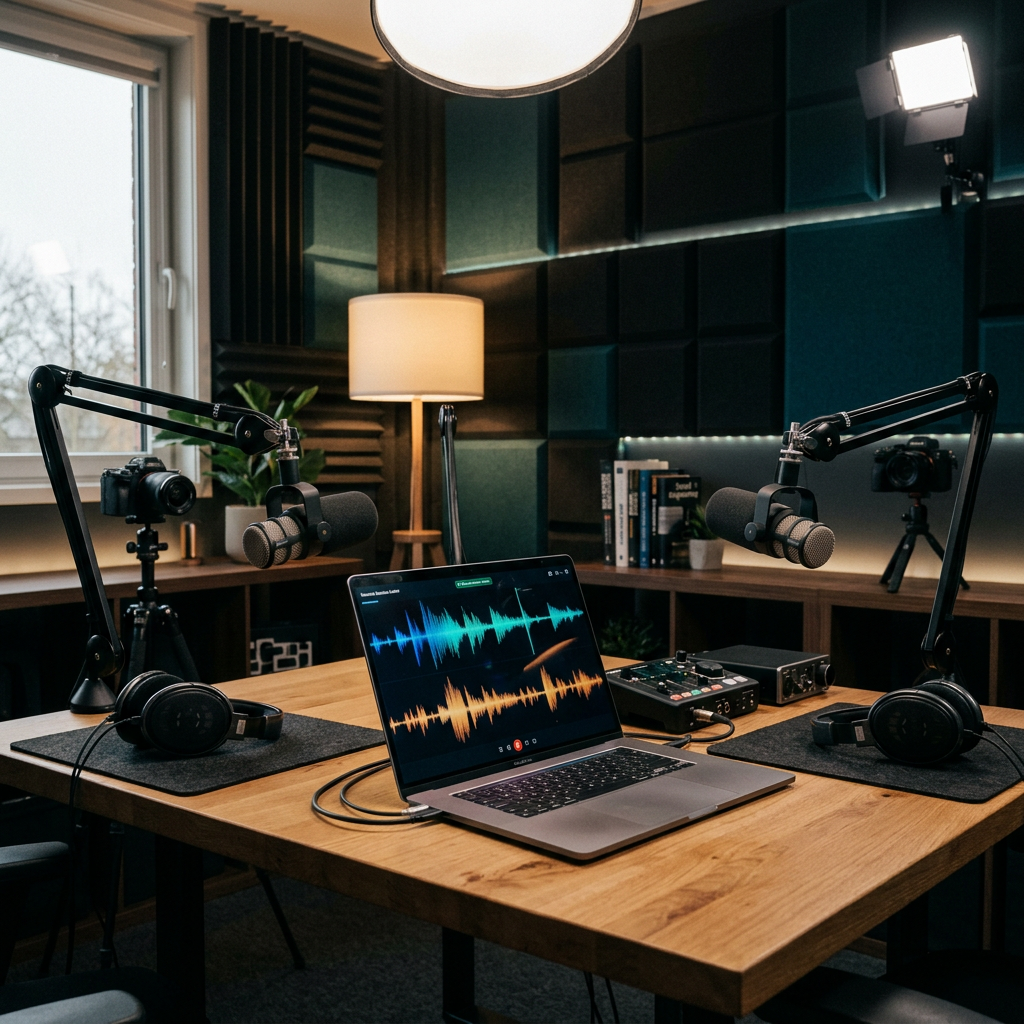
Create Studio-Quality Podcasts, Interviews, Videos, Webinars and Social Content From Virtually Anywhere
Creating professional video content used to require a complicated production setup.
You might have needed:
A camera.
A microphone.
An audio recorder.
A video conferencing application.
A separate screen recorder.
A video editor.
An audio editor.
A transcription service.
A social-media clipping tool.
A podcast host.
A thumbnail designer.
A live-streaming platform.
A file-sharing service.
And possibly several people to operate all of it.
For a professional media team, that can be manageable.
For an independent creator, entrepreneur, author, coach, educator, consultant, podcaster, marketer, or small business, it can become expensive, time-consuming, and unnecessarily complicated.
Then there is the biggest issue of all:
Getting everything to work together.
You record the interview in one application.
Download the files.
Synchronize the audio.
Clean up the sound somewhere else.
Edit the video.
Create captions.
Write the show notes.
Find clips.
Create social posts.
Make a thumbnail.
Upload the podcast.
Publish the video.
Schedule social content.
And suddenly one 60-minute conversation has become a full production project.
Riverside is built around a different idea.
Instead of treating recording, editing, publishing, and repurposing as completely separate activities, Riverside brings many of those workflows together in one platform.
Riverside currently positions itself as a platform for high-quality podcast and video production, with locally recorded separate audio and video tracks, AI-powered editing, transcription, clips, podcast hosting, publishing, live streaming, webinars, collaboration, and business production tools.
Its recording technology is particularly notable because each participant’s audio and video can be recorded locally on their device and uploaded to the cloud during the session. Riverside says this helps maintain high-quality recordings even when internet connectivity fluctuates.
That makes Riverside particularly attractive to:
Podcasters
YouTubers
Video creators
Interviewers
Authors
Coaches
Consultants
Entrepreneurs
Educators
Course creators
Marketers
Agencies
Webinar producers
Media companies
Remote production teams
Businesses creating customer stories
Corporate communications teams
And many other professionals who need to turn conversations and presentations into polished content.
In this comprehensive Riverside review, we will look at how the platform works, its recording technology, separate tracks, video quality, audio quality, AI tools, editing, transcription, captions, podcast hosting, social-media clips, live streaming, webinars, teleprompter, guest workflows, mobile recording, screen sharing, collaboration, business features, pricing, advantages, limitations, and practical strategies for getting more value from the platform.
Affiliate Disclosure
This article contains an affiliate referral link for Riverside.
DADYMINDS may receive compensation from qualifying activity generated through that referral link.
Our affiliate relationship does not increase your price. This article is intended to provide useful educational information about Riverside while helping readers understand whether the platform is appropriate for their particular content-production needs.
The referral link may lead to a current Riverside promotion, pricing experience, trial, or localized offer. Because Riverside pricing and promotional availability can change, always verify the final offer displayed when you click through.
Explore Riverside Through the DADYMINDS Referral Link
What Is Riverside?
Riverside is an online platform for recording, editing, producing, hosting, and distributing audio and video content.
It is especially well known for remote podcast and interview recording.
But the platform has evolved considerably.
Today, Riverside can be used for:
Podcast recording
Video interviews
Remote interviews
Webinars
Live streams
Screen recordings
Online courses
Customer stories
Marketing videos
Educational content
Social-media content
Audio production
Video production
Corporate communications
Hybrid and in-person recording
And other forms of professional digital content.
The key architectural concept is local recording.
Rather than relying entirely on the quality of the internet connection to capture the final recording, Riverside records each participant’s media locally and uploads the tracks progressively.
This gives the creator separate high-quality files that can be edited afterward.
Why Riverside Is Different
A typical video call is optimized for conversation.
Riverside is optimized for production.
That is a major difference.
A standard meeting platform is generally designed around:
Joining a call.
Talking.
Seeing participants.
Sharing a screen.
Maybe recording the meeting.
A production platform needs to think about:
Audio quality.
Video quality.
Individual tracks.
Editing.
Layouts.
Branding.
Transcription.
Clips.
Captions.
Publishing.
Social distribution.
Production control.
And final output.
Riverside is built around those production requirements.
The Problem Riverside Solves
Imagine interviewing a guest who is sitting in another country.
Your internet connection looks good.
Your guest’s internet connection suddenly becomes unstable.
With a conventional internet-based recording, the final recording may reflect the degraded connection.
With Riverside’s local recording model, each participant’s microphone and camera can be captured locally on their device, while the files upload to the cloud in the background. Riverside says this means the high-quality tracks are not dependent on the quality of the live internet connection in the same way as a conventional cloud recording.
The result is a much more production-friendly workflow.
How Riverside Local Recording Works
Each participant joins a Riverside Studio.
During the session, Riverside creates separate local recordings for participants.
Those files are uploaded while the session is occurring or immediately afterward.
Riverside then provides access to:
High-quality participant tracks
Cloud recordings
Edited recordings
Clips
The Help Center explains that the highest-quality tracks are recorded locally on each participant’s computer or device and can be downloaded for use in professional editing software.
This architecture is fundamental to understanding Riverside.
Separate Audio and Video Tracks
Suppose you interview three guests.
With a conventional mixed recording, everyone may be contained in a single video composition.
That creates limitations.
If one guest coughs, laughs, or interrupts another guest, you have fewer options.
With separate tracks, the editor can make independent adjustments.
You can:
Mute one participant.
Trim one participant.
Adjust audio levels.
Switch camera layouts.
Remove cross-talk.
Reframe a speaker.
Use a particular participant’s camera at a particular moment.
Riverside’s Help Center confirms that separate tracks are generated for participants and can be downloaded for further editing.
This is one of the platform’s greatest advantages for professional content.
Up to 4K Video
Riverside’s paid plans currently support recording participants at up to 4K resolution, assuming the participant’s camera and equipment support it.
The help documentation identifies 2160p as the 4K resolution supported for high-quality participant video tracks.
However, 4K is not magic.
Your final recording quality is constrained by the hardware you use.
If your webcam cannot capture 4K, Riverside cannot manufacture genuine 4K source detail.
Similarly, camera limitations, cables, capture hardware, and computer performance can affect the result.
48 kHz Uncompressed Audio
Audio quality can be even more important than video quality for podcasting.
A beautiful interview with poor audio is difficult to watch.
Riverside’s paid plans support 48 kHz audio, while its high-quality tracks can be downloaded as WAV files.
Its current FAQ states that, with appropriate equipment, Riverside can record up to 4K video and uncompressed 48 kHz WAV audio.
That gives creators professional-quality source material for post-production.
Why Uncompressed Audio Matters
WAV audio preserves considerably more information than a highly compressed format.
For podcast and video production, that provides more flexibility for:
Noise reduction.
Equalization.
Compression.
Level balancing.
Voice enhancement.
Mixing.
Mastering.
The better your source recording, the more control you generally have in post-production.
Riverside Magic Audio
Riverside’s Magic Audio is an AI-powered audio-enhancement system designed to improve voice recordings.
Riverside says Magic Audio uses machine learning to reduce unwanted background noise and improve voice quality.
Its current feature set includes:
Background-noise removal.
Reverb and noise reduction.
Automatic equalization.
Voice enhancement.
Loudness and volume adjustment.
That can be extremely useful for remote interviews.
Not every guest owns a studio microphone.
Not every guest has acoustic treatment.
Not every guest records in a silent room.
A creator may therefore receive audio from:
A bedroom.
An office.
A kitchen.
A hotel room.
A living room.
A mobile phone.
Magic Audio is designed to help improve such recordings.
AI Does Not Replace Good Recording Technique
Even the best AI audio tool cannot guarantee perfect results.
A good microphone still matters.
Mic placement matters.
Room acoustics matter.
Headphones matter.
Gain levels matter.
Background noise matters.
Recording conditions matter.
Think of Magic Audio as a production assistant—not a reason to ignore recording fundamentals.
AI Editing With Riverside
Riverside has made AI a major component of its current product strategy.
The company’s AI platform includes features designed to automate or accelerate repetitive post-production tasks.
These include:
AI editing.
AI clipping.
Transcription.
Show notes.
AI B-roll.
Eye-contact correction.
Silence removal.
Filler-word removal.
AI voice capabilities.
Content repurposing.
AI-generated thumbnails on eligible plans.
And the conversational Co-Creator editing system.
This is where Riverside becomes particularly interesting for creators.
Meet Co-Creator
Riverside’s Co-Creator is an AI editing and repurposing agent built into Riverside’s editing environment.
Instead of manually searching through a long timeline, the creator can interact with the AI using natural-language instructions.
Riverside describes examples such as:
“Make a reel from the part about tacos.”
Or:
“Make it look better.”
The AI can help apply edits, generate clips, and repurpose content.
The important idea is not that AI completely eliminates editing.
It is that repetitive editorial work can become easier.
What Can Co-Creator Make?
Riverside’s current Co-Creator tools can help generate:
Short clips.
Blog posts.
Thumbnails.
Descriptions.
Social content.
Edited versions of recordings.
Other promotional assets.
That changes the content-production equation.
One hour of recording can become:
A full podcast episode.
A YouTube video.
Several short clips.
A blog article.
Social-media posts.
A thumbnail.
Show notes.
A newsletter segment.
That is the foundation of modern content repurposing.
Magic Clips
Magic Clips uses AI to identify highlights within audio or video recordings.
Riverside explains that Magic Clips identifies moments that may work well as clips, sets the pace, adds animated captions, and can add a background image for audio-only content.
The creator can then customize the clips.
This matters because finding good moments in a one-hour interview can take a long time.
AI-assisted clipping can greatly reduce that manual search.
Why Short Clips Matter
Long-form content and short-form content serve different purposes.
A 60-minute podcast can be valuable to a dedicated listener.
But somebody discovering you for the first time may only watch:
30 seconds.
45 seconds.
60 seconds.
90 seconds.
That short interaction can introduce the viewer to your:
Ideas.
Personality.
Expertise.
Guest.
Brand.
Story.
The long-form episode then becomes the deeper destination.
This creates a content funnel:
Short clip → curiosity → full episode → subscriber → customer or community member
Creating Clips for Different Platforms
Riverside’s editing and clipping tools support changing layouts and adapting content to different social-video formats. Its current Magic Clips materials highlight customizable dimensions, layouts, captions, backgrounds, text, music, and image overlays.
This is useful because different platforms favor different formats.
For example:
Vertical video.
Square video.
Landscape video.
A creator can therefore take the same source recording and repurpose it for multiple destinations.
Automatic Captions
Captions are essential for accessibility and social-media viewing.
Riverside’s current transcription/captioning tools support 100+ languages, and the company advertises high transcription accuracy.
Riverside also allows creators to customize captions with:
Fonts.
Colors.
Placement.
Animation.
Style.
That is useful for both accessibility and branding.
Transcription in 100+ Languages
Global creators often work with international audiences.
Riverside’s transcription system supports more than 100 languages and includes a large selection of languages such as:
English
French
Spanish
German
Arabic
Chinese
Portuguese
Hindi
Swahili
Kinyarwanda
Yoruba
and many others.
That is particularly interesting for international podcasts and organizations.
A single interview can become:
Audio.
Video.
Transcript.
Captions.
Blog content.
Social content.
Multilingual content.
AI Show Notes
Riverside’s AI Show Notes can generate text based on recordings.
The company explains that these can be used for:
Episode descriptions.
Keywords.
Chapters.
Social copy.
This removes another repetitive task from the creator workflow.
Instead of beginning with a blank document after every episode, you have a draft to refine.
AI Voice
Riverside’s current Pro plan includes AI Voice functionality that can generate speech in your own voice, subject to Riverside’s applicable features and terms.
The broader AI toolkit also includes VideoDub, which Riverside describes as allowing a creator to fix a typo or rewrite a line while AI regenerates audio in the same voice and lip-syncs it to the video.
These tools can potentially help correct minor recording errors without completely re-recording an episode.
However, creators should use synthetic voice technology carefully, transparently, and in accordance with applicable consent and rights requirements.
Eye Contact Correction
Speaking to a camera is not always natural.
You are often looking at:
Your guest.
Your notes.
Your script.
Your screen.
The recording interface.
Instead of the camera lens.
Riverside’s editor includes an AI feature designed to adjust a speaker’s gaze so it appears more directly toward the camera.
Used carefully, this can make presentations and interviews feel more direct.
Remove Silence
Long pauses are sometimes natural.
But excessive silence can make an episode feel slow.
Riverside provides AI-assisted tools for removing pauses and controlling pacing.
Creators can therefore choose a more:
Natural pace.
Energetic pace.
Compressed pace.
That flexibility is especially useful for educational videos, interviews, and social clips.
Remove Filler Words
Words such as:
“Um”
“Uh”
“So”
“You know”
can become distracting when repeated excessively.
Riverside’s editor includes a filler-word removal feature designed to identify and remove filler expressions.
The important word is excessively.
Human speech is naturally imperfect.
Over-editing can make a conversation feel artificial.
The best production often preserves personality while removing distractions.
Find Fluff
Riverside’s editor also provides a Find Fluff function that can identify potentially unnecessary content such as redundant takes, chatter, and technical discussion.
That can be particularly useful for long interviews.
Text-Based Editing
One of Riverside’s most accessible editing features is transcript-based editing.
Instead of manipulating a traditional timeline for every cut, you can edit text.
Delete a sentence from the transcript.
The corresponding part of the recording is removed.
That can feel much more intuitive for creators who understand writing better than traditional video-editing software.
Riverside’s business page specifically describes text-based editing as making post-production as simple as editing a document.
Why Text-Based Editing Is Powerful for Authors
This feature is particularly interesting for writers.
If you already think in text, you can approach video editing like editing an article:
Delete repetition.
Move ideas.
Remove unnecessary sentences.
Find the strongest quote.
Create chapters.
Build a highlight.
That dramatically reduces the conceptual barrier to entry.
Riverside for Podcasters
Podcasting is one of Riverside’s most natural use cases.
The workflow can look like:
Plan → invite guest → record → edit → transcribe → create clips → generate show notes → publish → analyze.
Instead of moving between many unrelated applications, Riverside provides much of that workflow inside one ecosystem.
Podcast Hosting
Riverside now includes podcast hosting with its paid plans.
The platform provides an RSS feed and allows podcasts to be distributed to major destinations including:
Spotify.
Apple Podcasts.
YouTube.
Riverside says paid plans include podcast hosting and analytics.
This makes Riverside particularly interesting to a creator who wants to simplify their production stack.
One-Click Podcast Publishing
Riverside currently supports automated podcast distribution to platforms such as:
Spotify
Apple Podcasts
YouTube
The Help Center describes connecting a show to these platforms so future episodes can be automatically distributed after publication.
Riverside’s publishing guide also describes one-click publishing workflows involving Spotify, Apple Podcasts, YouTube, Amazon Music, and other platforms.
Availability and exact publishing workflow can vary by destination.
Podcast Analytics
Hosting is only useful when you can learn from your audience.
Riverside’s podcast analytics dashboard provides information about:
Streams.
Top apps.
Top countries.
Episode performance.
Audience behavior.
Riverside also allows analytics data to be exported as CSV.
That allows creators to move beyond intuition.
What Can Podcast Analytics Tell You?
You can potentially discover:
Which episodes attract the most listeners.
Where your audience is located.
Which apps generate listening.
How episodes perform over time.
Which topics deserve more attention.
That creates a feedback loop:
Publish → measure → learn → improve → publish again.
Riverside for Video Podcasts
Modern podcasts are increasingly visual.
That means a creator may want:
High-quality video.
Multiple camera angles.
Guest video.
Clips.
Vertical shorts.
YouTube publishing.
Audio podcast distribution.
Riverside is particularly well designed for this hybrid workflow.
You can record once and produce both:
Audio
and
Video
from the same conversation.
Riverside for YouTube Creators
YouTube creators can use Riverside for:
Video interviews.
Talking-head videos.
Podcasts.
Remote collaborations.
Screen recordings.
Educational content.
Webinars.
Customer interviews.
The platform’s local recording workflow and separate tracks provide greater post-production control than a basic video-call recording.
Screen Recording
Riverside also includes screen-recording capabilities.
Its online recorder can capture:
Your screen.
Your camera.
Your microphone.
System audio.
It can capture the entire screen, a particular window, or a browser tab.
This makes Riverside relevant to:
Software tutorials.
Product demonstrations.
Online courses.
Sales presentations.
Training videos.
Technical walkthroughs.
Educational content.
Screen Sharing as a Separate Track
During Riverside Studio sessions, screen sharing can be recorded as a separate track.
This means your screen does not necessarily have to be permanently baked into the speaker video.
That creates more editing flexibility.
You can decide later:
When the screen appears.
When the speaker appears.
How much screen is shown.
What layout works best.
Presentations and Slides
On supported Business configurations, Riverside allows presentation files to be uploaded and presented in high resolution during sessions.
The host can then download the presentation as a high-quality video track.
This can be useful for:
Webinars.
Corporate presentations.
Training.
Online events.
Product demos.
Educational sessions.
Riverside for Webinars
Riverside’s Webinar plan is specifically designed for webinar production.
The current public pricing page lists Webinar features including:
Up to 100 registrants.
Pre-recorded sessions streamed as live.
Recurring webinars.
Unlimited sessions.
No time limits.
Lead capture.
Custom branded registration.
Website embedding.
Q&A.
Live call-ins.
Polls.
Reactions.
Webinar analytics.
HubSpot integration.
This moves Riverside beyond podcasting.
Webinar Lead Generation
A webinar can serve as more than an educational event.
It can become a marketing funnel.
For example:
Registration → attendance → engagement → lead capture → follow-up → sales conversation
Riverside’s Webinar offering includes lead-capture functionality and HubSpot integration, making it relevant to businesses that use webinars as part of marketing and sales workflows.
Pre-Recorded Webinars
Not everyone wants to host a live presentation.
You may have:
A perfect presentation.
A product demonstration.
An expert interview.
A training session.
You can record it in advance.
Riverside’s Webinar plan supports pre-recorded sessions that can be streamed as live.
This allows organizations to create more polished webinar experiences without depending entirely on live execution.
Live Streaming
Riverside’s Grow and higher offerings include live-streaming functionality.
The current pricing page lists Full HD 1080p live streaming and multistreaming to unlimited destinations on Grow and above.
Supported destinations include platforms such as:
YouTube.
Facebook.
LinkedIn.
X.
Twitch.
Custom RTMP destinations can also be connected.
Why Multistreaming Matters
Suppose you have an audience on:
YouTube.
LinkedIn.
Facebook.
Twitch.
Streaming separately to each platform can create logistical problems.
Multiple logins.
Multiple dashboards.
Multiple streams.
Multiple chat windows.
Multiple production workflows.
Riverside’s multistreaming tools allow a supported session to be distributed to multiple destinations from one production environment.
Omnichat
Riverside’s live-production tools also include Omnichat, which consolidates audience chat interactions during live streams.
This can help presenters monitor audience engagement without opening separate chat windows for every platform.
That is especially useful for multi-platform broadcasts.
Lower Thirds and Branding
Professional production is not only about resolution.
Branding matters.
Riverside supports:
Logos.
Colors.
Overlays.
Lower thirds.
Custom backgrounds.
Brand kits.
The Grow and higher plans include custom studio overlays and lower thirds, while the Business plan adds more comprehensive custom-branding and production controls.
Brand Kits
A brand kit allows organizations to standardize elements such as:
Fonts.
Colors.
Logos.
Visual presentation.
That matters when several people produce content under the same company or media brand.
Instead of recreating the design every time, a standardized brand environment can improve consistency.
Teleprompter
Riverside includes a teleprompter on applicable plans.
This can be useful for:
Video presentations.
Introductions.
Course lessons.
Product launches.
Marketing videos.
Executive communications.
Sponsored segments.
Podcasts with prepared questions.
The current Pro plan includes a host teleprompter, while Business supports teleprompter functionality for hosts and guests.
Teleprompter for Guests
Business users can share the teleprompter with guests.
Riverside’s Help Center explains that the host or producer can allow guests to view or control the teleprompter, including adjusting text size and scrolling speed depending on permissions.
This is an interesting feature for:
Customer testimonials.
Corporate interviews.
Scripted interviews.
Product demonstrations.
Executive messaging.
Training videos.
Invite Guests Without Requiring Riverside Accounts
One of the best features for remote interview creators is guest simplicity.
Riverside’s FAQ says guests can join by clicking the invitation link without creating a Riverside account or installing software.
This matters enormously.
Your guest may be:
A CEO.
An author.
A celebrity.
A customer.
A professor.
A government official.
A remote employee.
A client.
A subject-matter expert.
You do not want to make them spend 20 minutes installing software.
Send the link.
They click.
They join.
Up to 10 Participants
Riverside’s current FAQ says a studio can record up to 10 participants total—one host and up to nine guests—with separate audio and video tracks.
That is suitable for many:
Panel discussions.
Roundtables.
Podcasts.
Interviews.
Webinars.
Team conversations.
Educational sessions.
Producer Mode
Large productions often require someone to manage the technology while another person hosts.
Riverside supports Producer Mode.
A producer can handle:
Participant settings.
Audio.
Cameras.
Guests.
Presentations.
Chat.
Live production.
Teleprompter.
Other technical controls.
while remaining outside the recorded conversation when configured accordingly.
That allows the host to focus on the content.
Why Producer Mode Matters
Imagine an executive recording an important customer interview.
The executive should not have to simultaneously manage:
Microphones.
Guest permissions.
Layouts.
Presentations.
Live chat.
Recording controls.
The producer can manage those tasks.
This creates a more professional experience for everyone.
In-Person and Hybrid Recording
Although Riverside is strongly associated with remote recording, it also supports in-person and hybrid sessions.
Riverside’s current documentation explains that in-person and remote participants can be combined while still generating individual participant tracks.
That means the platform can support:
Studio interviews.
Hybrid panels.
Remote + local guests.
Multi-camera sessions.
On-location production.
Mobile Recording
Content creation no longer happens only at a desk.
Riverside provides mobile applications for iOS and Android.
Its current materials also describe using a phone as:
A recording device.
A second camera.
A participant device.
A mobile interview platform.
The September 2026 Riverside article says its mobile apps can be used to record on the go and that a phone can function as a second camera in multicam mode.
Turn Your Phone Into a Second Camera
This is especially interesting for creators producing:
Product demonstrations.
Behind-the-scenes videos.
Events.
Interviews.
Educational content.
On-location content.
For example, you could use:
Your primary camera for a talking-head shot.
Your phone for a secondary angle.
That can make a one-person production appear much more sophisticated.
Mac App
Riverside also offers a Mac application designed as a native alternative to browser-based recording.
Riverside describes the Mac app as offering:
4K video.
48 kHz WAV audio.
Separate tracks.
One-click guest invitations.
Producer controls.
Progressive uploading.
For dedicated creators, a native desktop application can provide a more focused recording environment.
Browser-Based Workflow
Riverside can also run in a supported web browser.
That is convenient because your guests do not necessarily have to install software.
Current supported browsers include Chrome and Edge, while Safari has specific limitations for accessing the dashboard/editor and for recording via links.
Creators should therefore check the latest system requirements before an important production.
Recording From Anywhere
A major cultural shift in media production is that the “studio” has become portable.
You no longer necessarily need:
A broadcast studio.
A physical office.
A permanent recording room.
Riverside’s local recording technology is specifically designed for remote production.
Your guest can be:
At home.
In an office.
In a hotel.
At a conference.
In another country.
The important thing is having compatible equipment and a controlled enough recording environment.
Riverside for Authors
Authors increasingly need video.
A book launch may require:
Author interviews.
Podcast appearances.
YouTube videos.
Short social clips.
Audiobook-related content.
Webinars.
Reader Q&As.
Writing workshops.
Riverside can serve as the production hub for these activities.
An author can record a long-form interview and repurpose it into:
Podcast episode.
YouTube video.
Instagram Reel.
LinkedIn post.
Blog article.
Newsletter.
Quote graphics.
That dramatically increases the content output from each recording session.
Riverside for Publishers
Publishers can use recorded interviews and conversations for:
Author marketing.
Book launches.
Media campaigns.
Podcast appearances.
Author spotlights.
Educational webinars.
Reader communities.
Book-related video content.
For publishing organizations managing multiple authors, centralized production can also make workflow standardization easier.
Riverside for Coaches
Coaches frequently need:
Client education.
Webinars.
Short videos.
Long-form interviews.
Testimonials.
Courses.
Social content.
A coach can use Riverside to create one long session and repurpose it into multiple content assets.
Riverside for Consultants
Consultants can create:
Thought-leadership videos.
Client interviews.
Webinars.
Industry podcasts.
Case studies.
Educational videos.
Sales presentations.
The high-quality remote recording system is particularly useful when clients are geographically distributed.
Riverside for Marketing Teams
Marketing teams are increasingly expected to create more content with fewer resources.
One interview can become:
YouTube content.
Podcast.
Blog.
Social clips.
Newsletter.
Sales enablement.
Customer testimonial.
Website content.
Riverside’s AI repurposing tools are designed specifically around this content-multiplication concept.
Riverside for Customer Stories
Customer stories are powerful marketing assets.
But getting a customer on camera can be difficult.
Riverside simplifies the technical side.
You send a link.
The customer joins.
You record separately.
You obtain high-quality footage.
You edit.
You create clips.
You publish.
For businesses, that can make customer-video programs more scalable.
Async Recording
For larger business workflows, Riverside provides Async Recording.
Instead of requiring everyone to join simultaneously, guests can receive a link and record on their own schedule.
Riverside describes this as particularly useful for interviews, testimonials, and customer stories.
This changes the workflow from:
“Everyone needs to be available at 10:00.”
to:
“Record when convenient.”
That can eliminate scheduling friction.
Collaboration for Teams
The current Business offering provides:
Production workspaces.
Custom roles.
Collaborative editing.
Producer Mode.
Dedicated support.
SSO.
Enterprise security features.
Integrations.
That makes Riverside more than a creator application.
It becomes a content-production infrastructure platform.
Business and Enterprise Production
Riverside’s Business offering is designed for organizations producing content at scale.
The current Business plan includes:
Unlimited studios.
Unlimited separate-track downloads.
Unlimited video storage.
Custom branding.
Async recording.
Simultaneous recording.
Private podcast hosting.
Producer Mode.
Collaborative editing.
Custom frame rates.
Production workspaces.
Custom roles.
Salesforce and Marketo integrations.
API access.
SSO.
SOC 2 and ISO 27001 compliance.
Dedicated customer success management.
24/7 priority chat support.
Business pricing is customized rather than presented as one standard public rate.
Security and Compliance
For businesses, content production may involve sensitive information.
Riverside’s current Business page states that its enterprise environment includes:
SOC 2 Type II
ISO 27001
End-to-end encryption
It also offers SSO and additional compliance options.
Organizations should still evaluate Riverside’s current security documentation against their own compliance requirements.
No SaaS security certification guarantees that every possible risk is eliminated.
Riverside Pricing
Pricing is one area where customers should check the live Riverside website carefully.
Riverside currently displays several plan structures across its public pricing pages.
The current primary pricing page shows:
Free — $0/month
Pro — $24/month when billed annually
Grow — $34/month when billed annually
Webinar — $79/month when billed annually
Business — custom pricing
The same page states that monthly billing is also available and that annual billing offers savings.
However, there is an important current-site inconsistency.
Riverside’s official article published September 10, 2026 says that Riverside “no longer offers a free plan” and instead offers 14-day trials of the Pro, Grow, and Webinar plans, with paid pricing beginning at $24 per month on annual billing.
Because these official pages currently present different plan descriptions, prospective customers should verify the actual signup and checkout experience displayed for their account before relying on a specific free-plan or trial assumption.
That is exactly the kind of pricing detail responsible affiliate content should disclose rather than gloss over.
Riverside Pro
The current pricing page positions Pro as the plan for creators producing polished high-quality content.
It includes:
Up to 4K video.
48 kHz audio.
No Riverside watermark.
Host teleprompter.
Unlimited text-based editing.
AI editing and repurposing.
AI B-roll.
Eye-contact correction.
Silence and filler-word removal.
Unlimited transcriptions.
Magic Clips.
Show notes.
Audio enhancement.
Podcast hosting and analytics.
Publishing capabilities.
One studio.
15 hours of separate-track downloads.
The current annual price displayed is $24/month, billed at $288 annually.
Riverside Grow
Grow is designed for creators who want audience-growth and live-production functionality.
It includes everything in Pro, plus:
Social scheduling.
Newsletter functionality.
Creator website.
Podcast hosting for two shows.
Video publishing to Apple Podcasts.
Video hosting.
AI thumbnails.
Riverside MCP.
1080p live streaming.
Multistreaming to unlimited destinations.
Custom RTMP.
Omnichat.
Custom overlays.
Lower thirds.
Backstage speaker management.
Two studios.
20 hours of separate-track downloads.
The annual price displayed is $34/month, billed at $408 annually.
Riverside Webinar
The Webinar tier adds structured webinar functionality.
It currently includes:
Up to 100 registrants.
Pre-recorded streaming.
Recurring webinars.
Unlimited sessions.
Lead capture.
Custom registration.
Website embeds.
Q&A.
Polls.
Reactions.
Branded email reminders and follow-ups.
Webinar analytics.
HubSpot integration.
Three studios.
25 hours of separate-track downloads.
The annual price displayed is $79/month, billed at $948 annually.
Riverside Business
Business is designed for companies producing content at scale.
Instead of a standard public price, businesses are directed to contact sales.
The plan includes:
Unlimited studios.
Unlimited track downloads.
Unlimited video storage.
Custom branding.
Private podcasts.
Producer Mode.
Custom roles.
Collaborative editing.
Enterprise integrations.
API access.
SSO.
Enterprise security.
Dedicated customer success.
Priority support.
And other advanced capabilities.
Which Riverside Plan Should You Consider?
The answer depends on your workflow.
Choose a creator-oriented plan if:
You are an individual creator.
You produce podcasts.
You create interviews.
You need editing and AI tools.
You need high-quality recording.
Consider Grow if:
You need live streaming.
You want multistreaming.
You need social scheduling.
You want broader audience-growth capabilities.
Consider Webinar if:
Webinars are a significant part of your business.
You need registrations.
You need lead capture.
You need structured audience engagement.
Consider Business if:
You need multiple producers.
You require shared workspaces.
You need SSO.
You need custom roles.
You have substantial production volume.
You need enterprise support.
Riverside vs. Traditional Video Conferencing
A platform such as Zoom may be excellent for meetings.
Riverside approaches the problem differently.
Riverside’s own comparison page highlights differences involving local recording, separate participant tracks, and production controls.
The key distinction is:
Meeting-first software records a meeting.
Production-first software creates source material for editing.
If all you need is a meeting recording, a conventional meeting platform may be enough.
If the recording itself is the product, Riverside becomes much more interesting.
Riverside vs. Traditional Video Editors
Traditional editing software remains extremely powerful.
Professionals may use:
Premiere Pro.
Final Cut Pro.
DaVinci Resolve.
Avid.
Other professional tools.
Riverside does not need to replace all of them.
Instead, it can simplify the path from:
Recording → usable tracks → first edit → clips → publishing.
You can also download separate tracks for further editing in external software.
That makes Riverside useful both as an end-to-end production environment and as a capture system feeding a more advanced post-production workflow.
Riverside’s Greatest Strength: Content Repurposing
This may be the most commercially important part of the platform.
Suppose you record one one-hour interview.
Traditional workflow:
One recording → one episode.
Riverside workflow:
One recording →
Full video.
Podcast audio.
Transcript.
Show notes.
Chapters.
Short clips.
Captions.
Social posts.
Potential blog content.
Thumbnail.
Newsletter material.
That can multiply the value of every production session.
The Content Multiplication Model
Think about content as an asset.
Input
One conversation.
Production
High-quality audio and video.
Transformation
AI-assisted editing.
Repurposing
Clips + transcript + written content + social assets.
Distribution
Podcast platforms + YouTube + social media + website + newsletter.
Outcome
One conversation becomes an entire content campaign.
That is a fundamentally different way of thinking about content creation.
Why Content Repurposing Matters for Small Teams
Large companies can hire:
Editors.
Writers.
Designers.
Social-media managers.
Podcast producers.
Videographers.
Small businesses often cannot.
AI-assisted repurposing can therefore reduce repetitive work and help a smaller team get more output from each recording session.
It does not eliminate human editorial judgment.
It amplifies it.
Riverside Is Especially Strong for Experts
Experts often have something valuable to say.
The problem is packaging.
An expert might conduct a 45-minute interview.
That conversation contains dozens of valuable ideas.
A creator can then extract:
One long-form episode.
Five short clips.
Ten social posts.
Several quotes.
A blog article.
A newsletter.
A webinar segment.
A sales insight.
The expert creates the knowledge once.
Riverside helps package it multiple ways.
Riverside for Thought Leadership
Executives, researchers, founders, consultants, authors, and industry professionals can use interviews as a thought-leadership engine.
The formula is simple:
Expertise + conversation + recording + repurposing = ongoing content.
This can be much easier than trying to invent a completely new topic every day.
Riverside for Educators
Educators can use Riverside to record:
Lectures.
Interviews.
Panel discussions.
Tutorials.
Course modules.
Q&As.
Webinars.
Demonstrations.
Screen recordings.
The transcript and caption tools can then support accessibility and content reuse.
Riverside for Online Courses
An online course creator can record modules remotely or independently.
A typical workflow could be:
Script.
Teleprompter.
Camera.
Screen share.
Presentation.
Recording.
Editing.
Captions.
Export.
That creates a relatively streamlined course-production process.
Riverside for Corporate Training
Companies can record:
Employee training.
Leadership sessions.
Expert interviews.
Customer training.
Product demonstrations.
Internal webinars.
Remote instruction.
Business presentations.
For larger companies, Business features such as team workspaces, producer controls, roles, SSO, and enterprise support become relevant.
Riverside for Recruitment and Employer Branding
Recruiters and HR teams can produce:
Employee testimonials.
Culture videos.
Executive interviews.
Career videos.
Training materials.
Candidate interviews.
Riverside’s remote-recording model can be especially useful when participants are distributed across locations.
Riverside for Media Agencies
Agencies frequently create content for several clients.
That creates a need for:
Brand consistency.
Collaboration.
Multiple producers.
Asset management.
Fast turnaround.
AI-assisted editing.
Multiple content formats.
Business-level Riverside capabilities can support those workflows.
Riverside for Social-Media Teams
Social teams need volume.
But volume without quality is dangerous.
A better approach is:
Create fewer strong source recordings.
Then repurpose intelligently.
Riverside’s Co-Creator and Magic Clips tools are designed around turning long recordings into smaller promotional assets.
Riverside for Podcasts With International Guests
International podcasting creates logistical challenges.
Different countries.
Different time zones.
Different internet connections.
Different microphones.
Different devices.
Riverside’s guest-link workflow and local recording architecture are particularly suited to geographically distributed interviews.
How to Get Professional Results With Riverside
Riverside is powerful.
But the platform cannot automatically turn weak content into great content.
You still need to manage the fundamentals.
Use a Good Microphone
Your audience will forgive an imperfect camera more readily than terrible sound.
Invest in the best microphone you can reasonably afford.
Use Headphones
Headphones help prevent echo and make it easier to monitor your own sound.
Control Your Environment
Turn off:
Fans.
Loud air conditioning.
Televisions.
Notifications.
Background music.
Noisy appliances.
Anything that competes with the voice.
Position Your Camera Correctly
Aim for:
Eye-level framing.
Good lighting.
A clean background.
Stable positioning.
Consistent composition.
Record a Test
Before an important interview:
Record 30 seconds.
Listen.
Watch.
Check:
Mic level.
Camera framing.
Lighting.
Noise.
Internet connectivity.
Headphones.
Then start.
Ask Guests to Prepare
Send your guest simple instructions:
Use headphones.
Find a quiet room.
Position the camera at eye level.
Use the strongest microphone available.
Close unnecessary applications.
Keep the browser tab open.
Record from a stable connection where possible.
This improves the production before Riverside’s technology even begins.
Use Riverside’s AI Carefully
AI is most useful when it saves time without destroying personality.
Use:
Magic Clips.
Transcription.
Show Notes.
Noise removal.
Filler-word cleanup.
Silence removal.
Co-Creator.
But review the results.
AI can misunderstand:
Context.
Sarcasm.
Technical terminology.
Names.
Jokes.
Subtle transitions.
The best workflow is:
AI drafts → human reviews → final publishing.
Do Not Over-Edit
A conversation that is too heavily edited can feel unnatural.
Retain:
Personality.
Pauses.
Laughter.
Emotion.
Natural reactions.
Minor imperfections.
Your audience wants human beings—not robots.
The objective is professional content, not artificial perfection.
Create a Repeatable Production System
One of Riverside’s biggest business benefits appears when it becomes part of a repeatable system.
For example:
Monday
Research topic.
Tuesday
Record.
Wednesday
Edit.
Thursday
Create clips.
Friday
Publish and distribute.
Then repeat.
Consistency is often more valuable than occasional bursts of creativity.
One Recording, Seven Assets
A practical workflow for a business might be:
Asset 1: Full podcast episode.
Asset 2: YouTube video.
Asset 3: Short highlight clip.
Asset 4: Second short clip.
Asset 5: Blog article.
Asset 6: LinkedIn post.
Asset 7: Newsletter.
That means one recording can potentially fuel an entire week’s communication.
One Recording, One Campaign
For marketers, go further.
A single interview can become:
Website content.
Sales collateral.
Social posts.
Email campaign.
Lead magnet.
Podcast.
YouTube episode.
Short videos.
Customer education.
Internal training.
That is the real strategic value of content repurposing.
Riverside Pros
High-Quality Remote Recording
Local participant recording creates high-quality separate tracks that are less dependent on live internet quality.
Separate Tracks
Each participant can receive independent audio and video files for editing.
4K Video
Eligible paid plans support up to 4K participant video when the hardware supports it.
High-Quality Audio
Paid plans support 48 kHz audio, and high-quality WAV files can be downloaded.
AI Repurposing
Co-Creator and Magic Clips can reduce the manual work needed to turn long-form recordings into social and marketing assets.
Transcription
Riverside supports transcription in 100+ languages.
Podcast Hosting
Paid plans include podcast hosting and analytics.
Live Streaming
Grow and higher tiers support 1080p live streaming and multistreaming.
Webinars
The Webinar plan provides registration, lead capture, engagement, analytics, and related tools.
Business Production
Business users receive collaboration, producer controls, advanced security, integrations, SSO, and enterprise support.
Potential Limitations
A trustworthy review also needs to explain where Riverside may not be the ideal solution.
It Is More Than You May Need
If all you need is a simple two-person video call, Riverside may offer substantially more production functionality than necessary.
High-End Production Still Requires Good Hardware
4K is only possible when your device can actually capture 4K.
Good audio still requires a good microphone.
AI cannot completely compensate for poor source material.
Some Advanced Features Are Paid
The most advanced recording, editing, live, webinar, and enterprise capabilities are not all included in the lowest-cost options.
Review the plan comparison before subscribing.
Plan Presentation Is Currently Changing
Riverside’s official pricing page and its September 10, 2026 article currently present different information about the availability of the Free plan.
That means prospective customers should check the current live signup experience rather than relying on an older screenshot, article, or third-party review.
Some Features Have Plan Restrictions
For example:
Guest teleprompter sharing is a Business feature.
Presentation uploading is restricted to certain Business configurations.
Collaborative editing and custom roles are Business capabilities.
Individual-track downloads are subject to plan limits.
Browser and Hardware Requirements Matter
Riverside supports major browsers, but its documentation specifies browser and system requirements, including differences between Chrome, Edge, Safari, desktop applications, and mobile.
For important recordings, test your exact setup beforehand.
Is Riverside Worth It?
For serious creators, podcasters, marketers, educators, consultants, businesses, and media teams, Riverside can be highly compelling.
The value is not simply the recording.
The value is the entire content workflow.
You can:
Record.
Edit.
Transcribe.
Caption.
Clip.
Repurpose.
Host.
Publish.
Analyze.
Live stream.
Run webinars.
Collaborate.
That breadth can eliminate the need for several disconnected tools.
When Riverside Makes the Most Sense
Riverside becomes particularly attractive when:
The recording is important.
You need high-quality source files.
The participants are remote.
You cannot rely on everyone being in the same studio.
You create content regularly.
The more you produce, the more valuable workflow efficiency becomes.
You repurpose content.
One recording needs to become several assets.
You have guests.
Simple guest joining matters.
You need professional audio.
Separate tracks and high-quality WAV support matter.
You need video and audio.
You want both from the same session.
You need marketing output.
Clips, captions, show notes, and social content matter.
When Riverside May Be Excessive
You may not need the complete Riverside stack if:
You only have occasional video calls.
You never publish content.
You do not need separate tracks.
You do not need editing.
You do not create short-form content.
You already have a production system that works well.
In such cases, a simpler tool may be sufficient.
The Real Riverside Advantage
The real advantage of Riverside is workflow compression.
Instead of:
Recording tool
Editor
Transcription tool
Clip generator
Caption tool
Podcast host
Live-streaming tool
Webinar system
you can consolidate a large portion of that process into one ecosystem.
That does not automatically make Riverside cheaper than every possible combination of tools.
But it can make your workflow simpler.
And simplicity is often valuable.
Riverside for the Modern Creator Economy
Creators increasingly need to produce:
Long-form.
Short-form.
Video.
Audio.
Written content.
Live content.
Community content.
Marketing content.
That is a lot.
The most efficient strategy is not necessarily producing more original material.
It is getting more value out of the material you already produce.
That is precisely where Riverside’s repurposing model shines.
Our Overall Riverside Review
Riverside is a powerful all-in-one production platform for creators and organizations that care about recording quality, efficient editing, and content repurposing.
Its strongest differentiator is its local-recording architecture.
Participants receive separate high-quality tracks, while the recording uploads to the cloud during the session.
From there, Riverside provides tools that extend far beyond recording.
You can use:
AI editing
Magic Clips
Co-Creator
Magic Audio
Transcription
Captions
Show Notes
Teleprompter
Screen Recording
Podcast Hosting
Live Streaming
Webinars
Analytics
Collaboration
Producer Mode
Business Workspaces
This creates something increasingly valuable in today’s content economy:
One recording can become an entire content ecosystem.
Is Riverside the Right Tool for You?
Ask yourself:
Do I create podcasts?
Do I interview guests?
Do I need high-quality remote recording?
Do I want separate audio and video tracks?
Do I publish to YouTube or podcast platforms?
Do I need short social clips?
Do I want AI-assisted editing?
Do I run webinars or live streams?
Do I need captions and transcripts?
Do I work with remote guests?
Do I need a repeatable content workflow?
The more of these questions you answer “yes” to, the more relevant Riverside becomes.
The Riverside Content Engine
Here is perhaps the simplest way to think about Riverside:
Record once.
Create one excellent source conversation.
Edit once.
Clean and refine the main recording.
Repurpose many times.
Create clips, captions, show notes, posts, thumbnails, blog material, and other assets.
Distribute everywhere.
Podcast platforms.
YouTube.
Social platforms.
Websites.
Newsletters.
Measure.
Use analytics.
Improve.
Repeat.
That is a modern content-production system.
Ready to Try Riverside?
Whether you are launching a podcast, growing a YouTube channel, building a personal brand, promoting a book, producing webinars, marketing your business, interviewing clients, creating educational content, or managing professional media production, Riverside provides a broad collection of tools designed to simplify the journey from conversation to published content.
Explore Riverside Through the DADYMINDS Referral Link
Check the current plans, available trial or promotional offer, supported features, and pricing shown for your account.
Then choose the setup that matches the way you actually create content.
Record better. Edit faster. Repurpose smarter. Publish more.
Frequently Asked Questions About Riverside
What is Riverside?
Riverside is an online recording, editing, publishing, podcast-hosting, live-streaming, and content-repurposing platform. It is particularly known for high-quality remote recording with separate participant audio and video tracks.
What makes Riverside different from Zoom?
Riverside is designed around production rather than primarily around meetings. Its local recording architecture creates separate high-quality tracks for participants, which gives editors substantially more control over the final production.
Does Riverside record locally?
Yes. Riverside records participant audio and video locally on each participant’s device while uploading the files to the cloud during the session.
Does Riverside record separate tracks?
Yes. Riverside creates separate high-quality audio and video tracks for participants, allowing them to be edited independently.
Does Riverside support 4K?
Yes. Paid Riverside plans support participant recording up to 4K when the participant’s camera and hardware support that resolution.
Does Riverside support 48 kHz audio?
Yes. Riverside’s paid plans support 48 kHz audio, and high-quality WAV tracks can be downloaded.
Can guests join without installing Riverside?
Yes. Riverside’s FAQ says guests can join through an invitation link without creating a Riverside account or installing software.
How many people can join a Riverside recording?
Riverside’s current FAQ says a studio can record up to 10 participants total, consisting of one host and up to nine guests, with separate high-quality tracks.
Does Riverside have an AI editor?
Yes. Riverside provides AI editing tools, including Co-Creator, Magic Clips, silence removal, filler-word removal, Find Fluff, Magic Audio, smart layouts, and eye-contact correction.
What is Riverside Co-Creator?
Co-Creator is Riverside’s conversational AI editing and repurposing agent. It can help apply edits and create promotional assets such as clips, social posts, thumbnails, blog content, and descriptions.
What are Magic Clips?
Magic Clips uses AI to identify highlights from recordings and generate short clips that can then be customized and shared.
Does Riverside provide transcription?
Yes. Riverside provides AI transcription and advertises support for more than 100 languages.
Does Riverside support captions?
Yes. Riverside can create AI captions and allows users to customize caption fonts, colors, placement, and animation.
Does Riverside have podcast hosting?
Yes. Podcast hosting is included with Riverside’s current paid plans, with RSS distribution and analytics.
Can Riverside publish podcasts to Spotify?
Yes. Riverside currently supports podcast publishing and distribution workflows involving Spotify.
Can Riverside publish podcasts to Apple Podcasts?
Yes. Riverside supports podcast distribution to Apple Podcasts through its hosting system.
Can Riverside publish podcasts to YouTube?
Yes. Riverside supports publishing and distribution to YouTube, including video podcast workflows.
Does Riverside provide podcast analytics?
Yes. Riverside’s podcast hosting analytics include streams, top apps, top countries, and episode-level performance data.
Does Riverside support live streaming?
Yes. Grow and higher plans currently support Full HD 1080p live streaming and multistreaming.
Where can Riverside livestream?
Riverside currently supports live streaming to destinations including YouTube, Facebook, LinkedIn, X, Twitch, and custom RTMP destinations, subject to platform policies and configuration.
Does Riverside support webinars?
Yes. Riverside offers a Webinar plan with registration, lead capture, audience engagement, webinar analytics, branded registration, website embedding, and related features.
Can Riverside stream a prerecorded webinar as live?
Yes. The Webinar plan currently includes functionality for pre-recording and streaming a session as live.
Does Riverside have a teleprompter?
Yes. The current Pro plan includes a host teleprompter, while Business supports teleprompter functionality for both hosts and guests.
Can guests see the Riverside teleprompter?
Yes. On Business configurations, hosts can share a teleprompter with specific guests or all guests and control their viewing permissions.
Does Riverside support screen recording?
Yes. Riverside’s screen recorder can capture your screen, camera, microphone, and system audio.
Can Riverside record screen sharing separately?
Yes. Screen shares can be recorded as separate tracks in supported configurations.
Can Riverside record in person?
Yes. Riverside supports in-person and hybrid recording and can generate individual participant tracks.
Can I use Riverside on a phone?
Yes. Riverside has iOS and Android mobile apps, and the company also supports mobile recording and multicamera use cases.
Can a phone be used as a second camera?
Yes. Riverside’s current materials describe using a phone as a second camera in multicam mode.
Does Riverside have a Mac app?
Yes. Riverside provides a Mac application with features including high-quality recording, separate tracks, guest invitations, producer controls, and progressive uploading.
Does Riverside support AI audio enhancement?
Yes. Magic Audio uses AI to reduce background noise, reverb, and other unwanted sounds while improving vocal quality and loudness.
Does Riverside remove filler words?
Yes. Its editor provides AI-assisted removal of filler words such as “um,” “uh,” and similar expressions.
Does Riverside remove silence?
Yes. Riverside provides tools for removing pauses and gaps and adjusting conversation pacing.
Does Riverside offer AI-generated show notes?
Yes. AI Show Notes can generate text that can be used for episode descriptions, keywords, chapters, and social copy.
Does Riverside generate thumbnails?
AI-generated thumbnails are currently included on the Grow plan and above through Co-Creator.
Does Riverside offer AI voice functionality?
Yes. The current Pro plan includes AI Voice, while Riverside’s broader AI environment includes VideoDub functionality for modifying recorded speech in the creator’s voice.
Does Riverside support podcast video?
Yes. Riverside can create and publish video podcast episodes, with destination-specific behavior for Spotify, Apple Podcasts, YouTube, and Riverside-hosted pages.
Does Riverside support enterprise teams?
Yes. Riverside Business is designed for teams producing content at scale and includes production workspaces, custom roles, collaborative editing, SSO, enterprise security, integrations, Producer Mode, and dedicated customer success.
Does Riverside support Salesforce and Marketo?
Yes. The current Business plan lists Salesforce and Marketo integrations.
Does Riverside provide API access?
Yes. API access is included with the current Business plan.
Is Riverside secure?
Riverside’s Business offering currently states that it is SOC 2 Type II and ISO 27001 compliant and provides end-to-end encryption, with SSO and other compliance options available.
How much does Riverside cost?
The primary current pricing page displays annual-equivalent prices of $24/month for Pro, $34/month for Grow, and $79/month for Webinar, with Business requiring a custom quote. However, Riverside’s official September 10, 2026 article presents the free/trial structure differently, so customers should verify the current signup experience.
Does Riverside have a free plan?
Riverside’s official public pages currently provide conflicting information: its pricing page displays a $0 Free plan, while its September 10, 2026 article says the free plan has been replaced by a 14-day trial of premium plans. Verify the current offer when signing up.
Does Riverside offer a free trial?
Riverside’s September 10, 2026 official article says users can trial Pro, Grow, or Webinar for 14 days, with a card required and automatic conversion to the selected paid subscription unless canceled before the trial ends.
Is Riverside good for podcasting?
Yes. Riverside is particularly well suited to podcasts requiring high-quality remote recording, separate tracks, editing, transcription, clips, hosting, distribution, and analytics.
Is Riverside good for YouTube?
It can be particularly useful for interview, podcast, educational, screen-recording, and remote-collaboration content because it combines high-quality recording with editing and repurposing capabilities.
Is Riverside good for webinars?
Yes. The dedicated Webinar plan adds registration, lead capture, audience engagement, branded experiences, analytics, and other webinar-specific capabilities.
Is Riverside good for businesses?
Yes. Business is specifically designed for teams and enterprise-scale production and includes collaboration, roles, producer controls, SSO, security, integrations, and dedicated support.
Important Disclaimer
This article is for general educational and informational purposes.
DADYMINDS does not provide video-production, podcast-production, legal, financial, investment, cybersecurity, or other professional advice through this article.
Riverside features, pricing, plan names, storage limits, recording limits, AI functionality, integrations, supported destinations, trial policies, eligibility, and other commercial conditions can change.
Riverside’s official website currently contains different presentations of its Free/trial availability, so prospective customers should verify the live pricing and signup experience before subscribing.
Actual recording quality depends on the equipment used by the participants, including microphones, cameras, computers, cables, operating systems, browsers, and other technical factors.
AI-generated content should be reviewed by a human before publication, particularly where accuracy, factual claims, names, quotations, technical terminology, or professional information are important.
Podcast distribution and social-media publishing can also be subject to the policies and technical requirements of third-party platforms.
The affiliate link in this article is provided for promotional tracking. DADYMINDS may receive compensation from qualifying activity.
Final Call to Action
The hardest part of creating professional content is often not the recording itself.
It is everything that happens after you press stop.
Editing.
Transcribing.
Captioning.
Finding highlights.
Creating clips.
Writing descriptions.
Creating show notes.
Publishing.
Promoting.
Analyzing.
Doing it again.
Riverside brings many of those activities into one connected workflow.
Record once.
Capture high-quality audio and video.
Edit intelligently.
Use transcript-based editing and AI-assisted production tools.
Repurpose.
Turn one conversation into clips, captions, show notes, written content, and promotional assets.
Publish.
Distribute podcasts and video across major platforms.
Go live.
Stream to multiple destinations or run structured webinars.
Scale.
Move from solo creation to team production when your organization grows.
Explore Riverside Through DADYMINDS
Whether you’re an independent podcaster, YouTube creator, author, coach, consultant, educator, marketer, entrepreneur, media producer, or enterprise content team, Riverside provides a powerful environment for transforming conversations and ideas into professional content.
Your next great piece of content may already be inside the conversation you haven’t recorded yet.
Start recording. Create more. Repurpose smarter. Reach further.


Leave a Reply